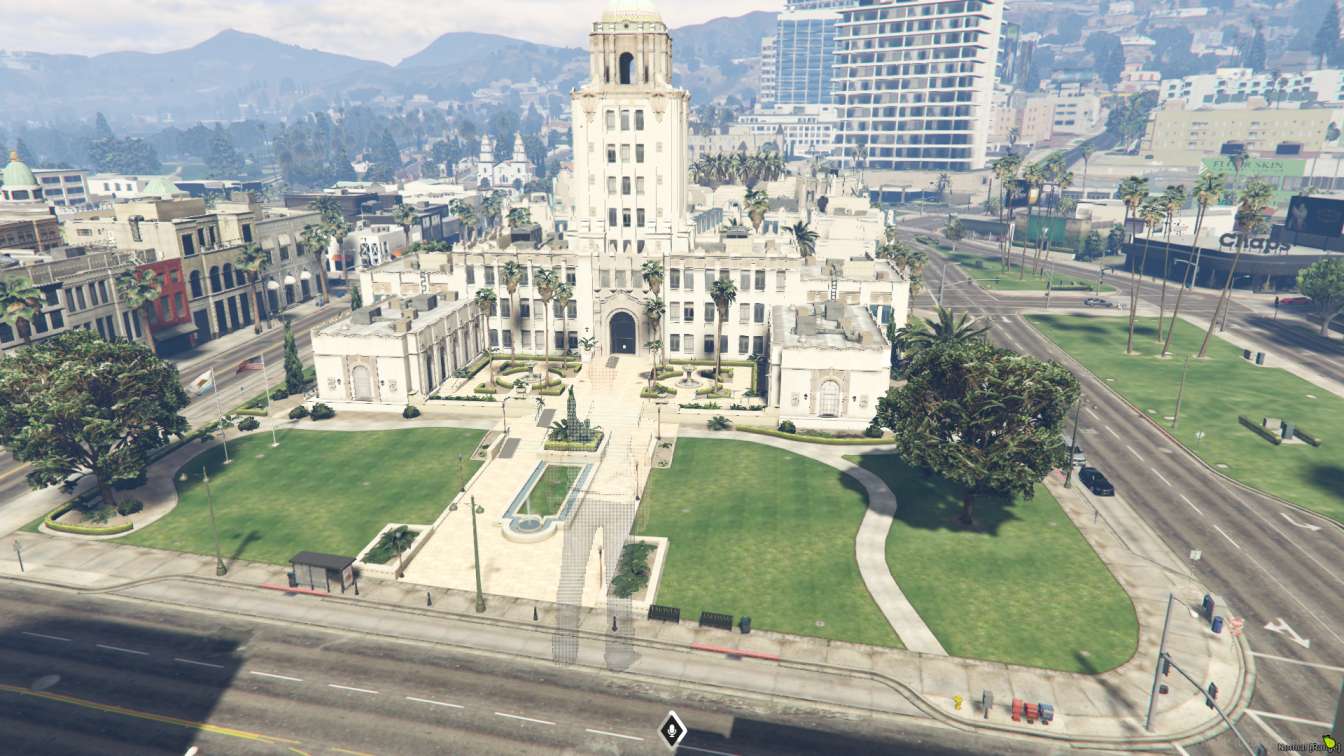
Detailed city hall interior for immersive roleplay experiences High-quality textures and realistic lighting Spacious meeting rooms and public areas




Bridges ship across the catalogue. Confirm the cores for this listing in Requirements below.
Looking for a NP Townhall FiveM map that turns your city into a bustling hub of politics and public events? This meticulously crafted MLO drops a fully detailed townhall into GTA V, giving roleplayers a realistic mayor's office, council chambers, multiple meeting rooms, and spacious public areas—all wrapped in high‑quality textures and dynamic lighting. Within the first 100 words you’ll see why server admins love it: immersive design, easy navigation, and endless customization possibilities.
Every corner of the townhall feels authentic. From the polished wood of the mayor’s desk to the soft glow of the council chamber lights, the NP Townhall FiveM delivers a visual experience that pulls players straight into city governance. The realistic lighting reacts to time‑of‑day changes, creating perfect backdrops for press conferences or late‑night council votes.
Built with performance in mind, this MLO runs efficiently on both Windows and Linux servers. The layout is intuitive—players can glide from the public lobby to private offices without lag, ensuring roleplay sessions stay fluid and engaging.
Admins can swap textures, add props, or re‑configure rooms to match their server’s theme. Public areas encourage spontaneous player interaction, while dedicated meeting rooms support scripted events, elections, or legal hearings.
Just download, extract, upload to your resources folder, add a start line in server.cfg, and restart. A quick verification step confirms the townhall spawns correctly, letting you get back to building stories faster.
Upgrade your city roleplay with NP Townhall FiveM and watch your community thrive in a realistic, organized, and immersive government setting.
This resource is built to be compatible with modern FiveM frameworks. Check the requirements for your framework version and installed resources before buying.
Yes, purchasing this asset grants you lifetime access to all future updates and patches.
Check the product requirements for file access and licensing details. If you need editable source files or a specific integration, contact support before buying.
After successful payment, sign in to your xFiveM Shop dashboard to access your purchased downloads. Contact support if your download is unavailable.
Review framework support, dependencies and editable files before buying. Contact support if your server uses a custom framework or needs a particular integration.
No waiting and no Keymaster syncing needed. Receive your clean, zip archive direct download link instantly in your dashboard right after your purchase.
Pay once and get every future update for free. When FiveM releases new builds or features, we update our scripts so your server stays up to date.
Complete your secure checkout. You will receive an instant download link to get your files immediately.
Extract the zip file and place the folder inside your server's resources directory.
Add ensure resource-name to your server.cfg and restart.

 FiveM
FiveM