Story-mode GTA V mods and FiveM server resources are built on incompatible assumptions. Learn the resmon targets, LOD and collision checks, and installation steps that keep ESX and QBCore servers stable at scale.
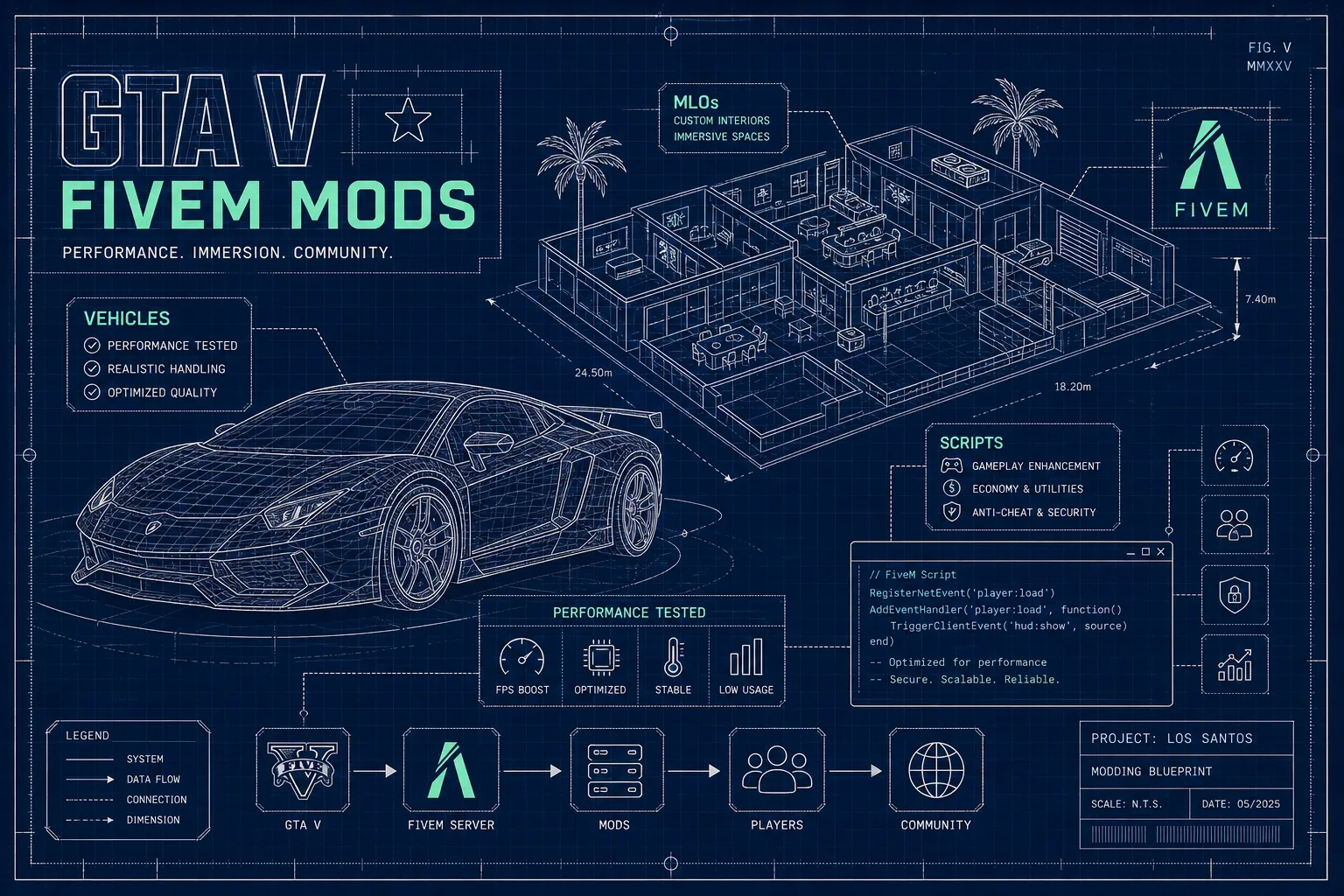
A server owner downloads a well-rated vehicle pack from a popular GTA V mod site, drops the folder into their resources directory, and within minutes the server resmon is spiking past 2ms and clients are crashing on entry. This scenario plays out constantly across the FiveM community, and the root cause is almost always the same: gta v mods built for story mode and FiveM server resources operate on entirely different assumptions. The file structures differ, the streaming systems differ, and the framework hooks are incompatible. Treating them as interchangeable is the fastest way to degrade a server that players have invested real time in, and understanding exactly why that incompatibility exists is the first step to avoiding it.
This article is for server owners running ESX or QBCore who want to add vehicles, MLO interiors, and scripts without compromising stability at 64 or more concurrent players. It covers the compatibility checks that matter, the installation workflow that avoids common errors, and the troubleshooting steps that isolate problems without taking the server offline. For teams who would rather skip the audit process entirely, xFiveM Shop tests every resource against these exact standards before it enters the catalogue.
Single-player GTA V mods are designed to load once, on one machine, with no concurrent connections. FiveM streams assets to every connected client simultaneously, which creates a completely different set of constraints around file streaming, memory overhead, and framework hooks. A mod that runs perfectly in story mode has never been tested under those conditions, and there is no reason to assume it will hold up.
Mods built for single-player GTA V are typically installed via RPF archive replacement using OpenIV, or they depend on Script Hook V to inject behaviour into the game process. Neither approach works in a FiveM resource folder. FiveM uses its own streaming system, declared through a `fxmanifest.lua` file, which tells the server what client scripts, server scripts, and streamed assets the resource contains. A vehicle or map mod written as an OpenIV replacement will simply not load. A script that depends on Script Hook V will not run at all, Script Hook V is explicitly not supported in the FiveM environment, as CitizenFX's own documentation confirms.
The incompatibility goes deeper than tool support, though. Single-player mods assume a fixed file hierarchy and a single client. FiveM resources must declare every asset explicitly in the manifest, stream them to multiple clients with differing hardware, and coexist with dozens of other resources loaded simultaneously. Even a well-made GTA V car mod will fail silently in this environment if it has not been rebuilt to meet those requirements.
Framework compatibility is not just a question of whether a script throws errors on startup. It means the resource respects the framework's player state, inventory, and job management without conflicting with existing events or exports. ESX scripts use `ESX.GetPlayerFromId()` and `xPlayer` methods. QBCore scripts use `QBCore.Functions.GetPlayer()` and `Player.Functions.*`. These are not interchangeable.
A script written as a standalone may appear to work while silently corrupting economy logic, overwriting job data, or producing desync that only surfaces at higher player counts. This is a known risk rather than a guaranteed outcome, but it is common enough that the FiveM community consistently recommends framework-specific resources over standalone ports. The incompatibility is often not visible until real players stress-test the server.
Running `resmon` in the FiveM server console gives you the CPU cost of each loaded resource measured in milliseconds. The figure that matters most is the idle cost: what the resource costs when no players are actively interacting with it. A resource sitting at 0.8ms idle is consuming that budget continuously across your entire session. On a 64-player server with dozens of resources loaded, those costs accumulate and degrade performance in ways that are difficult to diagnose after the fact.
The target for well-optimised FiveM GTA V script mods is an idle cost under 0.05ms; up to 0.10ms is acceptable. Above 0.50ms idle, the resource needs review before it goes anywhere near a production server. That 0.50ms ceiling matters because the FiveM tick budget is finite: a handful of poorly optimised resources consuming half a millisecond each will exhaust headroom that the server needs for player management, economy events, and framework overhead. Test on a local server with no players connected first, then recheck with a small group before opening to the full player base.
A vehicle mod that ships with only one high-detail mesh forces every nearby client to render full geometry regardless of distance. Proper LOD stages (hi, med, lo, vlo) progressively swap to simpler meshes as distance increases, reducing GPU load on every player's machine. At high player counts this compounds significantly: a server with 40 active vehicles on screen and no proper LODs is processing a substantially greater polygon load per client, per frame, a cost that grows with every additional vehicle and player. The `resmon` command does not capture this because it measures script CPU, not GPU rendering, which is exactly why LOD quality is easy to overlook until performance collapses.
For MLO interiors, the critical checks are collision coverage and YMAP integrity. Missing collision on walkable surfaces causes players to fall through floors. Malformed YMAP or YTYP files can crash the server on resource start. Duplicate map streams covering the same interior coordinates create flickering props and, in some cases, crash clients on entry. Before any MLO goes live, verify that the `.ymap`, `.ytyp`, and `.ybn` collision files are all present, correctly named, and free of export errors.
A vehicle that looks impressive in a preview video is not the same as a vehicle that holds up at server scale. Server-ready GTA V car mods ship with all four LOD stages built correctly, handling data that does not produce physics anomalies for other players, working lights and sound that do not loop incorrectly, and texture budgets that do not bloat the streaming allocation. Without those checks, rubber-banding and client desync become worse as player count rises.
For scripts, the bar is equally clear. A server-ready resource ships with ESX or QBCore events clearly documented and export functions that do not overwrite native framework functions. A versioned changelog is equally important: without one, there is no reliable way to know whether a new version introduced a breaking change or silently altered economy behaviour after a framework update, making the resource a liability rather than an asset.
Consider MLO interiors a three-part checklist rather than a single pass. Full collision on every walkable surface is non-negotiable. Correct YMAP parenting ensures props do not float or disappear after server restarts. Streaming budgets must be sized to coexist with surrounding exterior world assets, or the interior will compete for resources it cannot win. A quick field test before going live: load the interior locally, walk every surface, restart the resource once, and check whether props persist. If anything disappears or players clip through geometry, it is not ready.
The open GTA V mod scene is large, active, and largely unvetted for server use. Most resources hosted on general mod sites or GitHub repositories were built for a specific use case and never tested at server scale. Creators typically do not maintain compatibility across framework updates, there is no standard for resmon targets or collision quality, and ESX/QBCore event naming varies widely between authors. A server owner auditing these manually is performing the work a marketplace should have already completed.
xFiveM Shop exists to close that gap. Resources in the catalogue are tested for idle resmon targets, verified for correct LOD stages on vehicle mods, checked for MLO collision integrity and YMAP parenting, and confirmed compatible with both ESX and QBCore before listing. The catalogue covers 600+ resources across scripts, vehicles, MLO interiors, and map mods. Instant delivery means files unlock in the buyer's dashboard the moment payment clears, and lifetime updates are included at no extra cost. When a framework update breaks compatibility, the fix ships without an additional purchase. Developer support on Discord means compatibility questions get answered by the people who built the resource, not a general support queue.
Every FiveM resource has the same basic structure: a folder containing a `fxmanifest.lua` file that declares what the resource contains. For a vehicle, this includes a `stream/` folder for the model and texture files, a `data/` folder for meta files like `handling.meta` and `vehicles.meta`, and the corresponding `data_file` entries in the manifest. The `stream/` folder is auto-loaded by FiveM; the meta files must be explicitly declared in both a `files {}` block and individual `data_file` lines. Missing either will produce a resource that loads without error but does not actually register the vehicle correctly.
The installation sequence is straightforward, but the order matters:
After install, the common framework-specific steps are: adding new items to the shared items file, registering any new jobs in the jobs table, confirming database tables have been created correctly, and verifying that event names in the resource match the framework version running on the server. ESX and QBCore handle these differently, and older scripts may still reference the deprecated `esx:getSharedObject` event rather than the current export method. That single discrepancy accounts for a notable share of post-install failures on updated ESX servers, if a freshly installed resource throws no console errors but behaves incorrectly, this is the first place to look.
A resource that performs acceptably at low player counts can behave very differently at 64 players. The diagnostic process starts with `resmon` while players are active on the server. Work through resources one at a time, stopping each and monitoring whether the CPU cost drops. A resource that produces a significant drop in total resmon when stopped, particularly anything approaching 1ms or more, is the primary candidate. Do not restart the entire server; stopping and starting individual resources preserves player sessions while isolating the problem.
Version mismatches after CitizenFX platform updates or ESX/QBCore version bumps are one of the most common causes of silent failures. A resource can appear loaded and functional in the console while actually failing to execute core logic because an export signature changed or a dependency shifted. Check the resource's last update date against the framework version currently running. Resources that ship lifetime updates, such as those from xFiveM Shop, reduce this risk because compatibility fixes are distributed without additional cost when a framework update changes behaviour.
For MLO-specific crashes, the console output on resource start usually indicates the problem clearly. A server crash on start points to a malformed YMAP or YTYP file. Players falling through floors indicates missing or misaligned collision data. Players experiencing crashes on interior entry typically signals a duplicate map stream conflicting with another resource covering the same coordinates. In each case, the fastest resolution is to re-export the suspect file in CodeWalker, verify all three asset types are present and correctly named, and test the interior in isolation before combining it with other map mods.
GTA V mods and FiveM resources are not interchangeable, and treating them as such degrades servers that players have built communities around. The right vehicle, MLO, or script resource is not simply one that looks compelling in a preview. It is one that has been tested at server scale, maintained through framework updates, and documented clearly enough for a developer to configure without guessing at event names or database schemas.
For server owners who want to skip the vetting process, the xFiveM Shop catalogue of 600+ performance-tested resources is built specifically for this. Every resource has been reviewed for resmon targets, LOD quality, collision integrity, and framework compatibility before listing. Reach out to the team directly on Discord to discuss specific resource requirements or get guidance on building a server stack that holds up as your player base grows.
Written by
xFiveM Shop Editorial TeamResearch-led FiveM guides with disclosed review and update standards



