Weed Storage MLO is a FiveM MLO that adds a Weed area and Storage to your server.You can get this kind of MLO only in FiveM Mods and FiveM MLO Store.




Bridges ship across the catalogue. Confirm the cores for this listing in Requirements below.
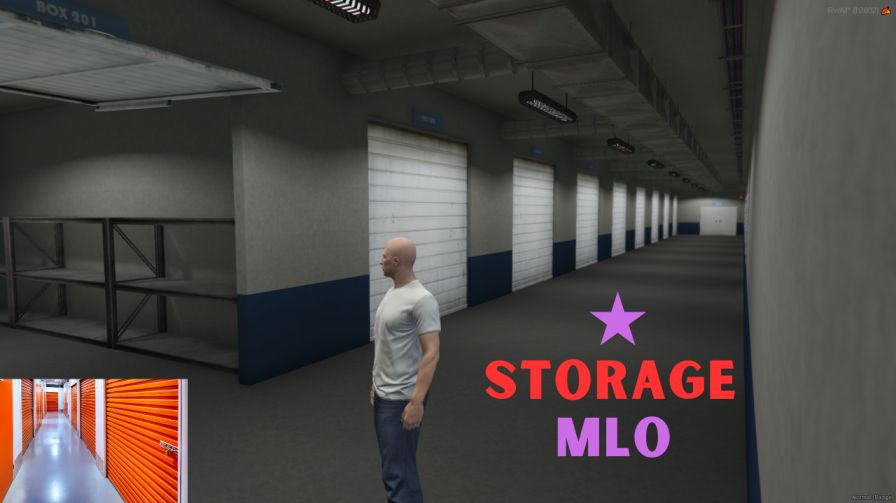
Looking to boost your role‑play economy and give players a realistic place to grow, store, and manage their cannabis empire? Weed Storage MLO drops a fully‑fleshed weed facility into your FiveM server, complete with over 20 customizable storage rooms, a secret underground grow zone, and a sleek manager office. Plug‑and‑play ready, this MLO is optimized for both ESX and QBCore, meaning you can install it in minutes and start reaping the profits instantly.
From tiny stash rooms for low‑key dealers to massive vaults for high‑roller cartels, the varied room sizes let you tailor the experience to any server narrative. The underground planting area adds that covert vibe, perfect for tense police raids or covert meet‑ups. And with a dedicated manager office, you can set up NPCs, inventory systems, or even a mini‑market to sell your product.
Just unzip Marc_storage_weed.zip into your resources folder, add start Marc_storage_weed to your server.cfg, and restart. The MLO works flawlessly on Windows or Linux, and it’s built to sync with popular frameworks like ESX, QBCore, or any standalone setup. No extra scripts required—just pure, immersive space.
Every corner of this location is meticulously designed for role‑play depth. Use the 20+ storage rooms for inventory caches, set up a hidden lab in the underground area, or let your crew plan heists in the manager office. The modular design means you can expand, redecorate, or even lock down sections for events.
Ready to dominate the green market? Add Weed Storage MLO to your server today and watch the trade flourish!
This resource is built to be compatible with modern FiveM frameworks. Check the requirements for your framework version and installed resources before buying.
Yes, purchasing this asset grants you lifetime access to all future updates and patches.
Check the product requirements for file access and licensing details. If you need editable source files or a specific integration, contact support before buying.
After successful payment, sign in to your xFiveM Shop dashboard to access your purchased downloads. Contact support if your download is unavailable.
Review framework support, dependencies and editable files before buying. Contact support if your server uses a custom framework or needs a particular integration.
No waiting and no Keymaster syncing needed. Receive your clean, zip archive direct download link instantly in your dashboard right after your purchase.
Pay once and get every future update for free. When FiveM releases new builds or features, we update our scripts so your server stays up to date.
Complete your secure checkout. You will receive an instant download link to get your files immediately.
Extract the zip file and place the folder inside your server's resources directory.
Add ensure resource-name to your server.cfg and restart.

 FiveM
FiveM