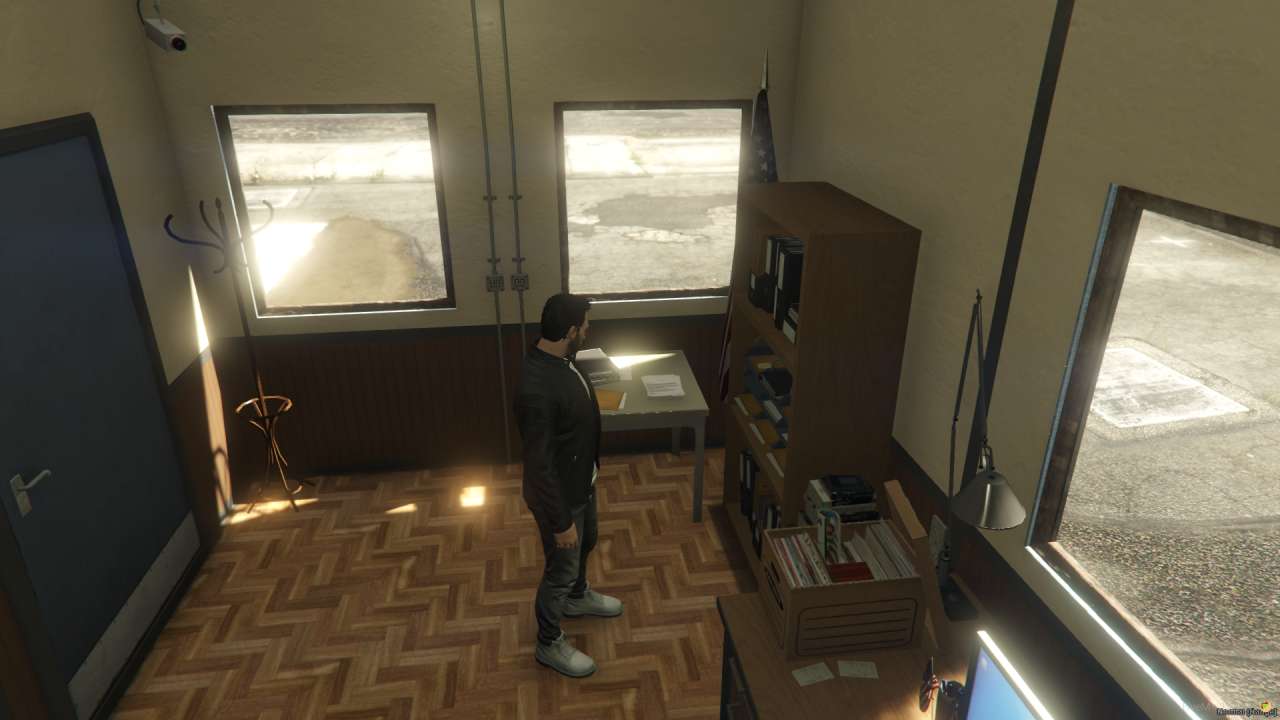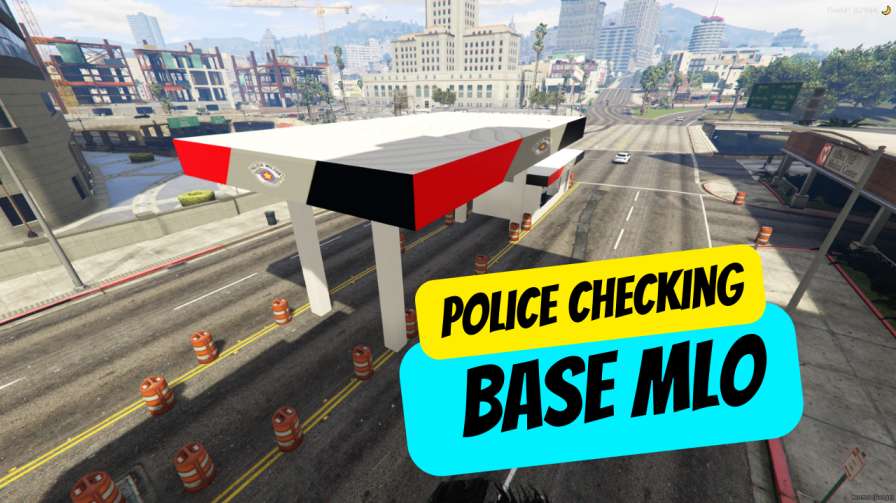
Unleash RP Potential: Craft captivating police scenarios with this feature-rich MLO. Effortless Server Boost: Optimize your world with this plug-and-play, fully optimized mod. Security HQ: Establish a realistic base for patrols and inspections. Tech & Chill: Access computers in a designate...




Bridges ship across the catalogue. Confirm the cores for this listing in Requirements below.
Get ready to step into the shoes of a real officer with the Police Checking Base MLO. This add‑on is a must‑have for any FiveM server that values immersive police work. Designed with detail and performance in mind, the MLO gives you a realistic interior for security operations right next to Pillbox Hospital. The first 100 words already get you hooked: it’s sleek, optimized, and ready to boost your server’s role‑play dynamics. Whether you’re a lone cop or part of a squad, the Police Checking Base MLO turns mundane patrols into adrenaline‑filled missions. Players can conduct thorough checks, manage emergencies, and coordinate with teammates without any lag. The interior is fully functional – think evidence rooms, interrogation booths, and secure holding cells – all crafted to make every interaction feel authentic. Plus, it’s built to run smoothly even during high‑traffic scenarios, so your server stays stable while the action heats up. Don’t miss out on the chance to elevate your community’s gameplay. Add the Police Checking Base MLO today and watch your role‑play community thrive!
• Realistic interior for police security operations
• Optimized design for seamless integration
• Convenient location near Pillbox Hospital
• Enhances immersion and role‑play experience
• Functional spaces for comprehensive security checks
Download, extract into your resources folder, add to server.cfg, restart, and you’re set. No complicated scripts, just pure role‑play fun.
This resource is built to be compatible with modern FiveM frameworks. Check the requirements for your framework version and installed resources before buying.
Yes, purchasing this asset grants you lifetime access to all future updates and patches.
Check the product requirements for file access and licensing details. If you need editable source files or a specific integration, contact support before buying.
After successful payment, sign in to your xFiveM Shop dashboard to access your purchased downloads. Contact support if your download is unavailable.
Review framework support, dependencies and editable files before buying. Contact support if your server uses a custom framework or needs a particular integration.
No waiting and no Keymaster syncing needed. Receive your clean, zip archive direct download link instantly in your dashboard right after your purchase.
Pay once and get every future update for free. When FiveM releases new builds or features, we update our scripts so your server stays up to date.
Complete your secure checkout. You will receive an instant download link to get your files immediately.
Extract the zip file and place the folder inside your server's resources directory.
Add ensure resource-name to your server.cfg and restart.

 FiveM
FiveM