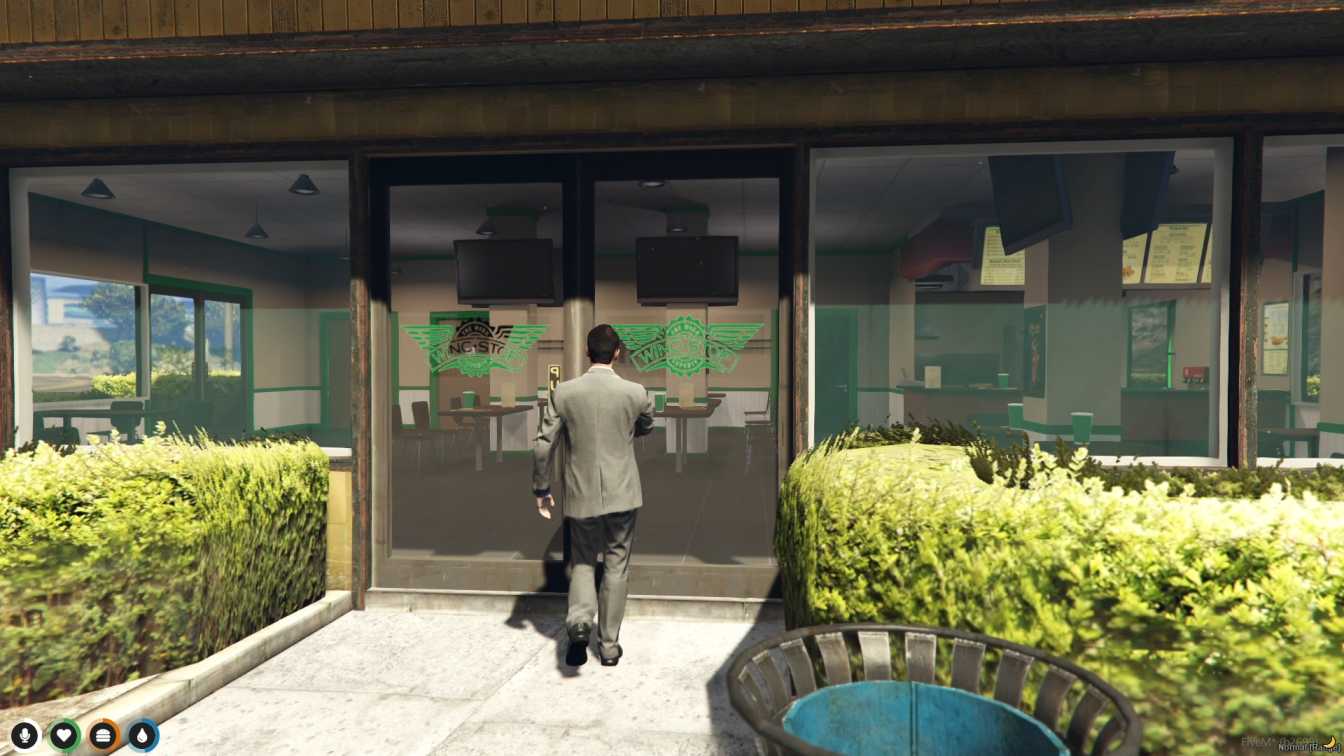
Wingstop in Game: Go to Wingstop in GTA V's NoPixel server. Eat and Chat: Sit, eat, and talk with other players. Looks Real: Like a real Wingstop with tables and signs. Play Together: Have fun with friends in the game. Easy to Do: Just download and add to your server to start playing.




Bridges ship across the catalogue. Confirm the cores for this listing in Requirements below.
NoPixel Wingstop Store MLO drops the iconic Wingstop restaurant straight into GTA V’s NoPixel world, delivering a hyper‑realistic dining hub for role‑players. From the moment you step inside, the familiar neon signage, sleek counter service, and cozy seating areas pull you into a bustling fast‑food vibe. Whether you’re craving a plate of crispy wings or looking to run a busy restaurant floor, this MLO gives you the tools to create memorable RP moments.
The map recreates every corner of the real‑life Wingstop: polished kitchen equipment, detailed food display counters, and authentic storefront signage. Players can walk up to the counter, place orders, and even serve other users, making each interaction feel genuine. The dynamic environment reacts to player presence, so you’ll hear the sizzle of the grill and the chatter of customers as you role‑play.
Use the MLO as a customer hotspot or a staff hub. Host lunch rush events, organize wing‑eating contests, or set up a storyline where a crew takes over the restaurant. The spacious dining area supports multiple groups, fostering community engagement and multiplayer fun.
Installation is a breeze—just unzip, drop the files into your server’s resources folder, add the resource to your config, and restart. The mod works with both ESX and QBCore frameworks, ensuring seamless integration with existing scripts.
Beyond the eye‑candy, the Wingstop Store MLO adds depth to your RP economy, encourages player interaction, and boosts server immersion. It’s the perfect add‑on for servers seeking a fresh, food‑themed location that’s instantly recognizable and endlessly configurable.
This resource is built to be compatible with modern FiveM frameworks. Check the requirements for your framework version and installed resources before buying.
Yes, purchasing this asset grants you lifetime access to all future updates and patches.
Check the product requirements for file access and licensing details. If you need editable source files or a specific integration, contact support before buying.
After successful payment, sign in to your xFiveM Shop dashboard to access your purchased downloads. Contact support if your download is unavailable.
Review framework support, dependencies and editable files before buying. Contact support if your server uses a custom framework or needs a particular integration.
No waiting and no Keymaster syncing needed. Receive your clean, zip archive direct download link instantly in your dashboard right after your purchase.
Pay once and get every future update for free. When FiveM releases new builds or features, we update our scripts so your server stays up to date.
Complete your secure checkout. You will receive an instant download link to get your files immediately.
Extract the zip file and place the folder inside your server's resources directory.
Add ensure resource-name to your server.cfg and restart.

 FiveM
FiveM