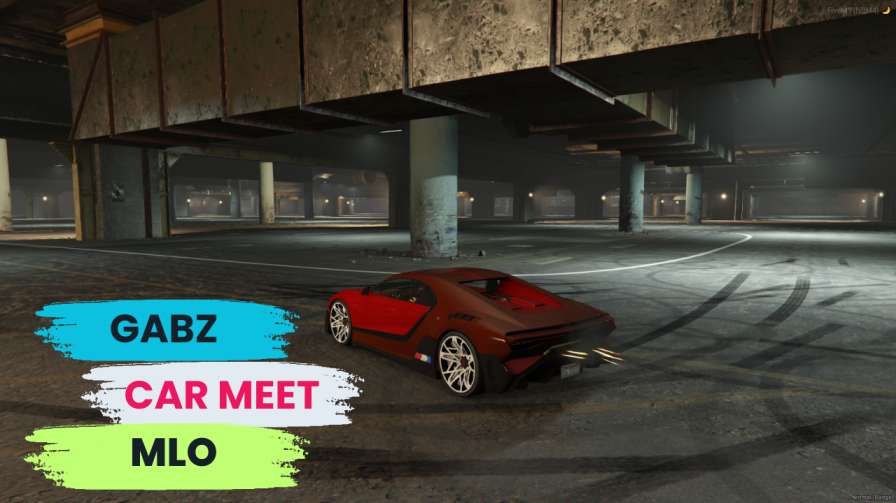
Vehicle Showcase: Spawn, display, photograph, and race vehicles effortlessly. Community Engagement: Connect with fellow car enthusiasts and engage in exciting activities. Encouragement to Explore: Elevate your gaming experience by joining lively car meets.




Bridges ship across the catalogue. Confirm the cores for this listing in Requirements below.
Ready to create the ultimate automotive hotspot on your FiveM server? The Gabz Car Meet MLO is the must-have mod for server owners who want to bring car enthusiasts together in an immersive, vibrant environment. This meticulously crafted MLO delivers everything you need to host unforgettable car meets that will keep players engaged and coming back for more.
From sleek supercars to rugged off-roaders, the Gabz Car Meet MLO provides the perfect backdrop for displaying any vehicle in your community. Players can gather, connect with fellow automotive enthusiasts, and participate in thrilling car meet events that elevate your server's gameplay experience.
What sets this MLO apart is its powerful customization options. Server administrators can tailor every aspect of the car meet environment to match their community's preferences. Hosting a casual Saturday cruise? No problem. Organizing an adrenaline-fueled race event? This mod handles it all with ease.
Installation is a breeze. Simply add the resource to your server, configure your settings, and you're ready to go. The Gabz Car Meet MLO integrates seamlessly with ESX, QBCore, or standalone frameworks, ensuring compatibility with whatever system your server runs on.
Transform your FiveM server into the destination where automotive dreams come alive. Download Gabz Car Meet MLO today and watch your community thrive!
This resource is built to be compatible with modern FiveM frameworks. Check the requirements for your framework version and installed resources before buying.
Yes, purchasing this asset grants you lifetime access to all future updates and patches.
Check the product requirements for file access and licensing details. If you need editable source files or a specific integration, contact support before buying.
After successful payment, sign in to your xFiveM Shop dashboard to access your purchased downloads. Contact support if your download is unavailable.
Review framework support, dependencies and editable files before buying. Contact support if your server uses a custom framework or needs a particular integration.
No waiting and no Keymaster syncing needed. Receive your clean, zip archive direct download link instantly in your dashboard right after your purchase.
Pay once and get every future update for free. When FiveM releases new builds or features, we update our scripts so your server stays up to date.
Complete your secure checkout. You will receive an instant download link to get your files immediately.
Extract the zip file and place the folder inside your server's resources directory.
Add ensure resource-name to your server.cfg and restart.

 FiveM
FiveM