Immerse in Rebel Radio's charm Role-play as DJs Host events Enjoy vintage ambiance Elevate your gaming experience




Bridges ship across the catalogue. Confirm the cores for this listing in Requirements below.
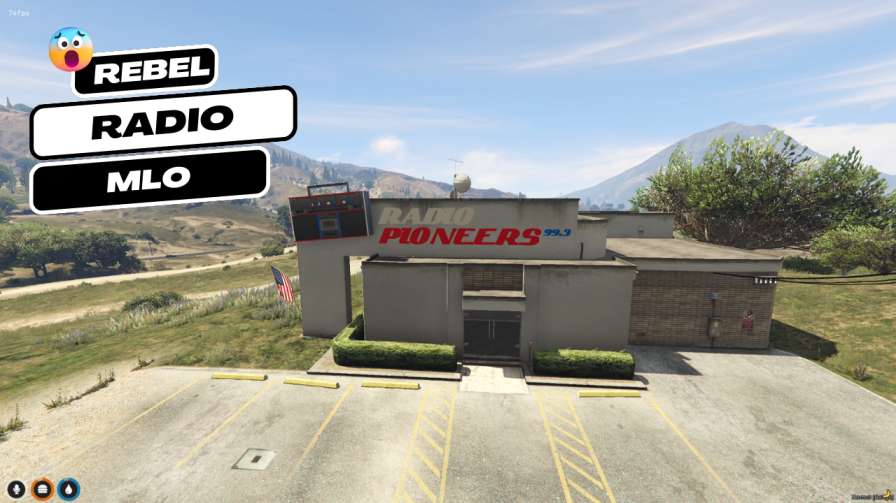
Welcome to the Rebel Radio MLO – the ultimate FiveM immersion that drops your crew straight into a classic American radio station tucked inside a rustic cabin. From the moment you walk through the creaky doors, vintage microphones, retro broadcasting gear, and cozy wooden furnishings greet you, setting the perfect stage for DJs, podcasters, and hangout sessions. This mod isn’t just an interior; it’s a living, breathing hub where stories unfold, beats drop, and friendships grow. Whether you’re streaming live shows, recording a podcast, or just vibing with friends, the Rebel Radio MLO delivers an authentic atmosphere that fuels role‑play and community engagement.
The interior is meticulously crafted with detailed textures, ambient lighting, and authentic décor that evoke nostalgia and adventure. The space is versatile – host in‑game events, set up a broadcast schedule, or simply chill in the lounge area. The immersive design adds depth to any server, turning ordinary nights into memorable airwave experiences.
Installation is a breeze: download, extract to your resources folder, add the resource to server.cfg, and restart. The MLO works seamlessly with both ESX and QBCore frameworks, making it a plug‑and‑play addition for any FiveM server.
By adding the Rebel Radio MLO, you give players a unique location to gather, role‑play, and showcase creativity. It’s perfect for community events, live music nights, or even a secret meeting spot for story‑driven missions. Elevate your server’s vibe and keep players coming back for more airwave action.
This resource is built to be compatible with modern FiveM frameworks. Check the requirements for your framework version and installed resources before buying.
Yes, purchasing this asset grants you lifetime access to all future updates and patches.
Check the product requirements for file access and licensing details. If you need editable source files or a specific integration, contact support before buying.
After successful payment, sign in to your xFiveM Shop dashboard to access your purchased downloads. Contact support if your download is unavailable.
Review framework support, dependencies and editable files before buying. Contact support if your server uses a custom framework or needs a particular integration.
No waiting and no Keymaster syncing needed. Receive your clean, zip archive direct download link instantly in your dashboard right after your purchase.
Pay once and get every future update for free. When FiveM releases new builds or features, we update our scripts so your server stays up to date.
Complete your secure checkout. You will receive an instant download link to get your files immediately.
Extract the zip file and place the folder inside your server's resources directory.
Add ensure resource-name to your server.cfg and restart.

 FiveM
FiveM