Free support on every order No-Risk Money Back Guarantee! No Hassle Refunds Secure Payments




Bridges ship across the catalogue. Confirm the cores for this listing in Requirements below.
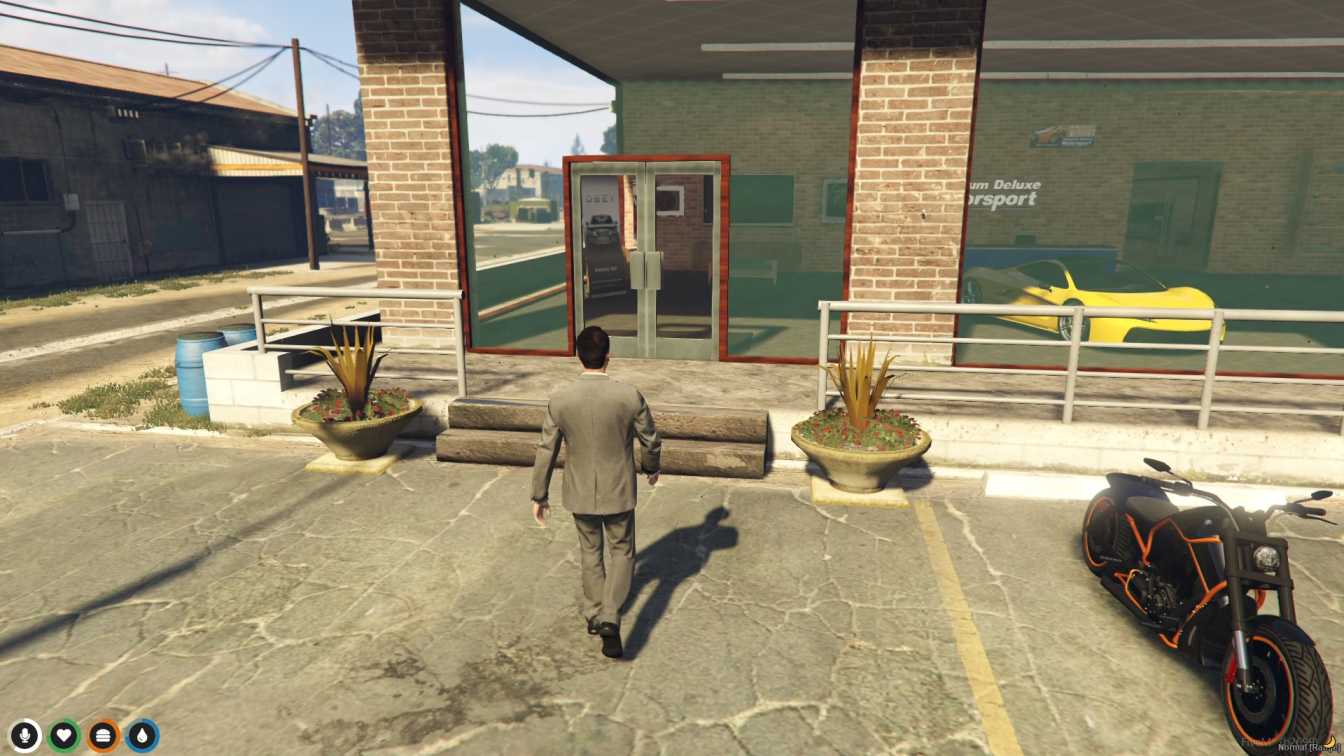
Looking for a FiveM Paleto Car Dealer MLO that brings the hustle of a real-life dealership to your server? Our custom‑built interior delivers a fully immersive car‑selling experience right in the heart of Paleto Bay. From sleek display lots to a comfy sitting area, every detail is crafted for performance‑hungry gamers who demand style without sacrificing GPU stability. Install in minutes, dive straight into roleplay, and watch your players line up for the hottest rides.
We’ve engineered a 100% original interior structure that’s bug‑free and optimized for both Windows and Linux servers. The prop layout is meticulously placed to avoid clipping, ensuring smooth navigation for any ESX, QBCore, or standalone setup. Plus, the low‑impact design means you won’t notice a dip in frame rates, even on mid‑range rigs.
Enjoy a dedicated sitting area where NPCs and players can chat, negotiate, and showcase vehicles. The custom prop set includes realistic signage, parking stalls, and a polished showroom floor that reacts to lighting changes. All assets are ready‑to‑go, so you can focus on building the story, not fixing glitches.
Just drop the files into your resources folder, add the start line to your server.cfg, and you’re live. Need help? Our support team is ready via the FiveM Mods Shop contact page, and we’ve got plenty of tutorials on the QBCore shop and FiveMServer.store for plug‑and‑play setups. Upgrade your server’s economy, boost player immersion, and drive roleplay to the next level with the ultimate Paleto Car Dealer MLO.
This resource is built to be compatible with modern FiveM frameworks. Check the requirements for your framework version and installed resources before buying.
Yes, purchasing this asset grants you lifetime access to all future updates and patches.
Check the product requirements for file access and licensing details. If you need editable source files or a specific integration, contact support before buying.
After successful payment, sign in to your xFiveM Shop dashboard to access your purchased downloads. Contact support if your download is unavailable.
Review framework support, dependencies and editable files before buying. Contact support if your server uses a custom framework or needs a particular integration.
No waiting and no Keymaster syncing needed. Receive your clean, zip archive direct download link instantly in your dashboard right after your purchase.
Pay once and get every future update for free. When FiveM releases new builds or features, we update our scripts so your server stays up to date.
Complete your secure checkout. You will receive an instant download link to get your files immediately.
Extract the zip file and place the folder inside your server's resources directory.
Add ensure resource-name to your server.cfg and restart.

 FiveM
FiveM