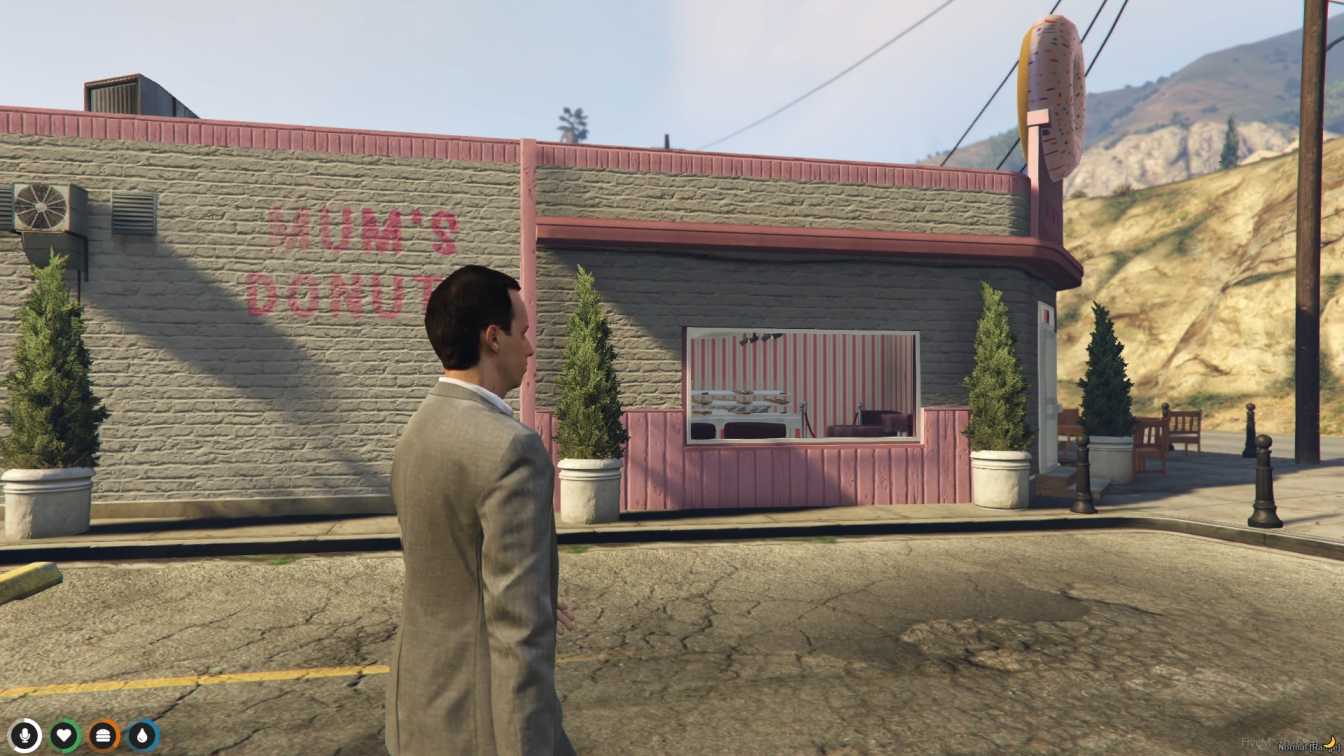
Cozy interior with a variety of donut flavors Interactive showcases for easy selection Seating areas for relaxation Enhances roleplay experiences Easy integration into FiveM servers




Bridges ship across the catalogue. Confirm the cores for this listing in Requirements below.
Bring the FiveM Donut Shop MLO to life and let your players savor a cozy pastry haven right inside your virtual city. Within the first 100 words, you’ll feel the aroma of fresh‑baked donuts, the warm glow of coffee machines, and the buzz of friendly chatter. This immersive interior is meticulously crafted with vibrant displays, comfortable seating, and interactive showcases that let players browse and purchase a wide variety of donut flavors and coffee options.
From classic glazed rings to seasonal specialty treats, the Donut Shop MLO offers something for every sweet tooth. The realistic lighting and ambient sound design create a welcoming atmosphere that boosts role‑play immersion and encourages player interaction. Host meet‑ups, coffee dates, or even in‑game events in the dedicated seating area – the possibilities are endless.
Integrating the shop is a breeze: simply drop the files into your resources folder, add start donutshop to your server.cfg, and restart. No complex scripts or dependencies required, making it perfect for both ESX, QBCore, and standalone setups.
Key Benefits: adds authentic charm, creates a new social hub, enhances role‑play depth, and provides a tasty break for your community. Whether you run a bustling city or a laid‑back countryside, the FiveM Donut Shop MLO instantly upgrades the vibe.
This resource is built to be compatible with modern FiveM frameworks. Check the requirements for your framework version and installed resources before buying.
Yes, purchasing this asset grants you lifetime access to all future updates and patches.
Check the product requirements for file access and licensing details. If you need editable source files or a specific integration, contact support before buying.
After successful payment, sign in to your xFiveM Shop dashboard to access your purchased downloads. Contact support if your download is unavailable.
Review framework support, dependencies and editable files before buying. Contact support if your server uses a custom framework or needs a particular integration.
No waiting and no Keymaster syncing needed. Receive your clean, zip archive direct download link instantly in your dashboard right after your purchase.
Pay once and get every future update for free. When FiveM releases new builds or features, we update our scripts so your server stays up to date.
Complete your secure checkout. You will receive an instant download link to get your files immediately.
Extract the zip file and place the folder inside your server's resources directory.
Add ensure resource-name to your server.cfg and restart.

 FiveM
FiveM