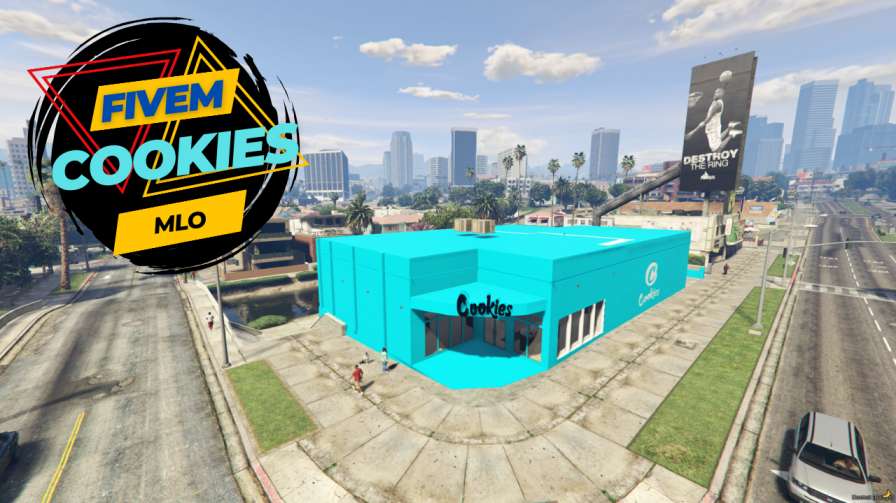
Enhance RP servers with FiveM Cookies MLO Offers diverse experiences for players Easy installation process Supports multiplayer gameplay Customizable to suit preferences Provides endless adventure opportunities




Bridges ship across the catalogue. Confirm the cores for this listing in Requirements below.
FiveM Cookies MLO is your ultimate gateway to a world where legal and illicit adventures collide. From upscale cafés to hidden alleyways, this MLO transforms your RP server into a vibrant playground. Players can run legitimate businesses or dive into the city’s underbelly, all while enjoying immersive, dynamic environments. With a blend of realistic interiors, secret passages, and interactive NPCs, the experience feels fresh every time you log in. Whether you’re a seasoned cop or a crafty entrepreneur, this MLO delivers endless scenarios that keep the community engaged and the server buzzing.
FiveM Cookies MLO brings depth and variety to your server. Players can explore legal ventures like coffee shops, bars, and offices, or they can engage in high‑stakes heists and underground deals. The MLO is packed with interactive elements, making each session feel unique. And because it’s built for both single‑player and multiplayer, you’ll see higher retention and more active users.
Download the package, drop the files into your server folder, add the resource to your server.cfg, restart, and you’re ready to roll. It’s plug‑and‑play, so you can focus on fun, not technical headaches.
Ready for endless RP excitement? Dive into FiveM Cookies MLO now and watch your server thrive!This resource is built to be compatible with modern FiveM frameworks. Check the requirements for your framework version and installed resources before buying.
Yes, purchasing this asset grants you lifetime access to all future updates and patches.
Check the product requirements for file access and licensing details. If you need editable source files or a specific integration, contact support before buying.
After successful payment, sign in to your xFiveM Shop dashboard to access your purchased downloads. Contact support if your download is unavailable.
Review framework support, dependencies and editable files before buying. Contact support if your server uses a custom framework or needs a particular integration.
No waiting and no Keymaster syncing needed. Receive your clean, zip archive direct download link instantly in your dashboard right after your purchase.
Pay once and get every future update for free. When FiveM releases new builds or features, we update our scripts so your server stays up to date.
Complete your secure checkout. You will receive an instant download link to get your files immediately.
Extract the zip file and place the folder inside your server's resources directory.
Add ensure resource-name to your server.cfg and restart.

 FiveM
FiveM