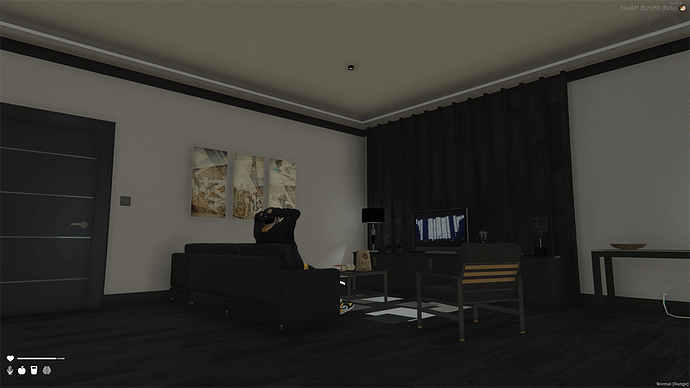
A highly detailed photography and film studio map for FiveM. Features a massive green screen room, dressing areas, and real-looking lighting props for creative roleplay.




Bridges ship across the catalogue. Confirm the cores for this listing in Requirements below.
Alta Street Photography Studio MLO brings a fully equipped, immersive studio right into your FiveM world. Whether you’re a photographer chasing the perfect shot, a filmmaker needing green screens, or an artist looking to showcase work, this MLO delivers a spacious, customizable environment that fuels imagination.
From sleek, high‑resolution textures to dynamic lighting rigs, every corner of the studio is designed for realism and flexibility. Set up a photo shoot with professional‑grade props, switch on dynamic lights for that cinematic glow, or drop a green screen and transport your actors to any virtual backdrop. The modular design lets you rearrange sets on the fly, so no idea is out of reach.
Enjoy spacious studios that accommodate large crews, customizable sets for endless scene variations, and high‑quality textures that make every frame pop. Integration with FiveM servers means players can hop in instantly, turning your server into a bustling hub of artistic collaboration.
Just drop the Alta_Street_Studio_MLO folder into your resources, add start Alta_Street_Studio_MLO to server.cfg, and restart. That’s it – the studio is live and ready for creators of all skill levels.
Beyond the tools, the studio fosters a community where photographers, filmmakers, and digital artists can share tips, host virtual exhibitions, and collaborate on epic projects. It’s more than an MLO; it’s a creative sanctuary on Alta Street.
This resource is built to be compatible with modern FiveM frameworks. Check the requirements for your framework version and installed resources before buying.
Yes, purchasing this asset grants you lifetime access to all future updates and patches.
Check the product requirements for file access and licensing details. If you need editable source files or a specific integration, contact support before buying.
After successful payment, sign in to your xFiveM Shop dashboard to access your purchased downloads. Contact support if your download is unavailable.
Review framework support, dependencies and editable files before buying. Contact support if your server uses a custom framework or needs a particular integration.
No waiting and no Keymaster syncing needed. Receive your clean, zip archive direct download link instantly in your dashboard right after your purchase.
Pay once and get every future update for free. When FiveM releases new builds or features, we update our scripts so your server stays up to date.
Complete your secure checkout. You will receive an instant download link to get your files immediately.
Extract the zip file and place the folder inside your server's resources directory.
Add ensure resource-name to your server.cfg and restart.

 FiveM
FiveM