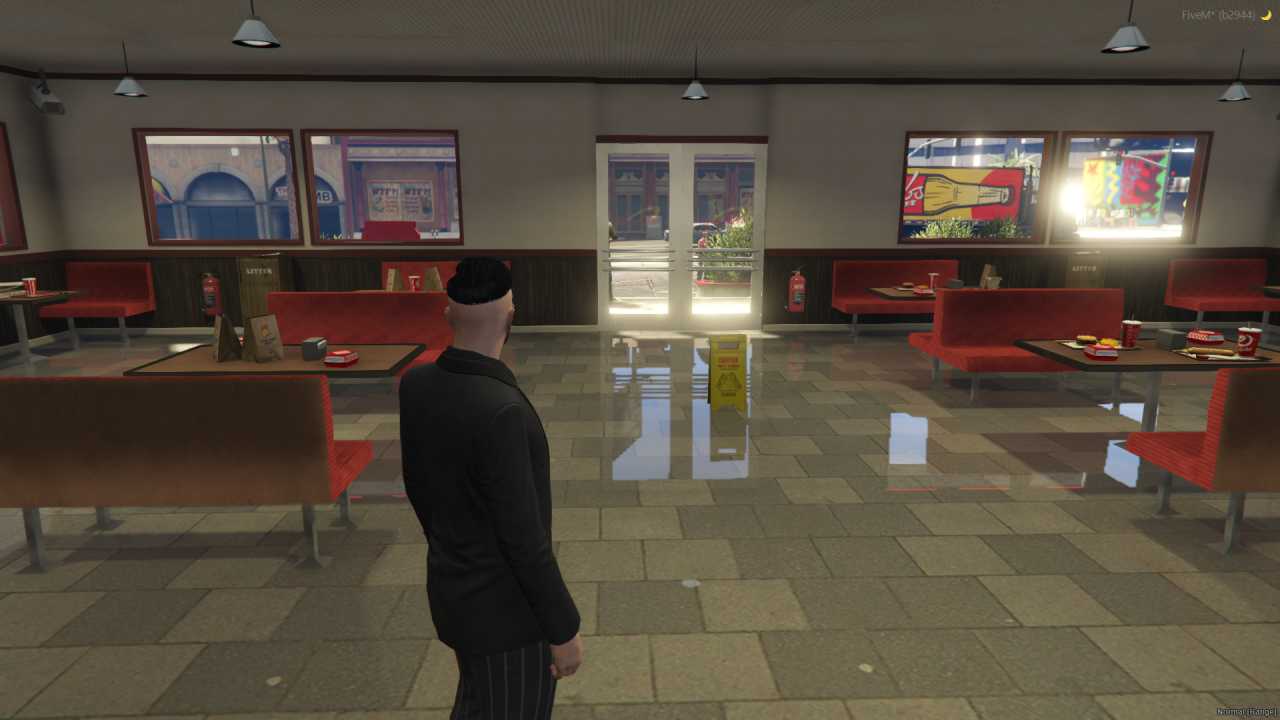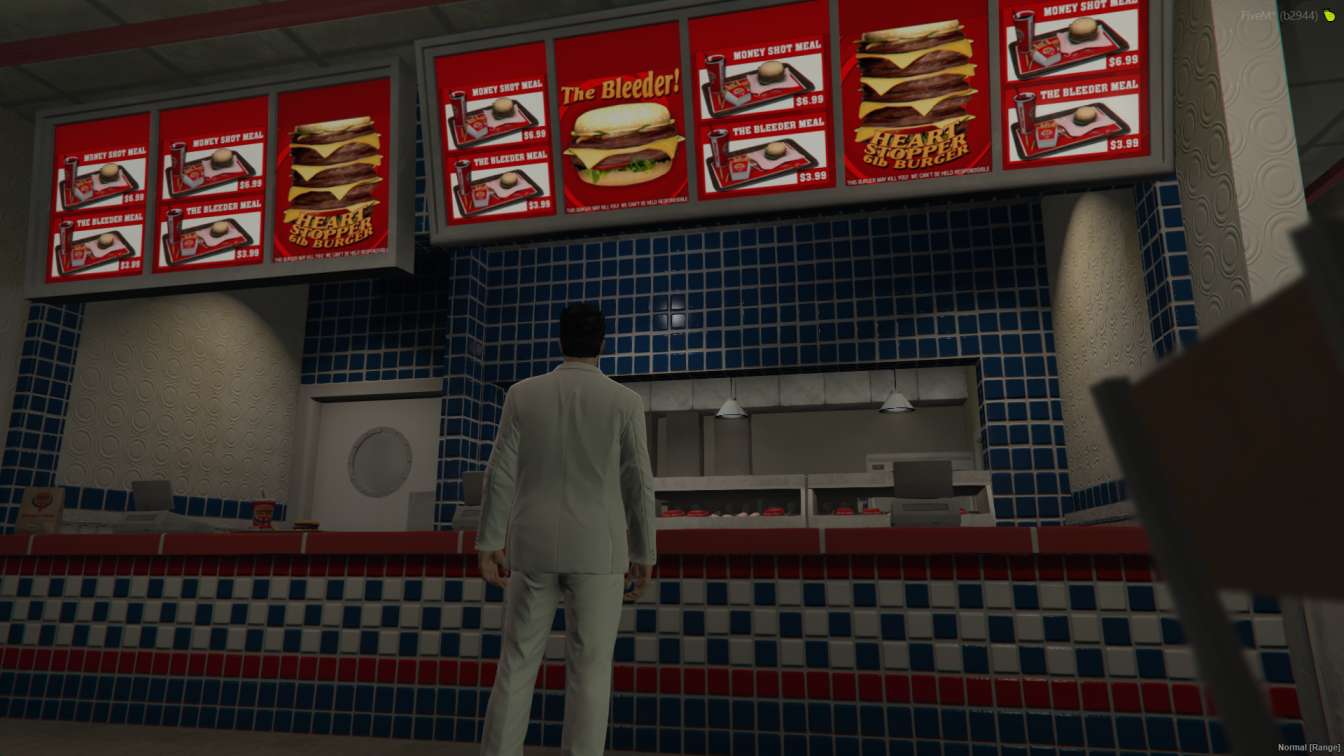
Ignite your FiveM server's ambiance with Wendy's MLO. Craft immersive RP scenes in a detailed restaurant interior. Keep players engaged with authentic menus and daily specials.




Bridges ship across the catalogue. Confirm the cores for this listing in Requirements below.
FiveM Wendy's Restaurant MLO brings a fully stocked kitchen, cozy seating area, and a handy storage room straight to your server, letting players dive into authentic restaurant life in seconds. This plug‑and‑play mod is meticulously crafted for realism, from the sizzling grill to the polished counters, giving your community a tasty new hangout.
Imagine your players grabbing a burger with friends, taking orders as a manager, or even running a bustling fast‑food empire. The detailed interior design adds depth to any RP scenario, while the optimized layout ensures smooth performance on both Windows and Linux servers.
Installation is a breeze—just drop the files into your resource folder, follow the short guide, and restart. No complex scripts, no conflicts, just instant access to a vibrant Wendy's setting that meshes perfectly with ESX, QBCore, or standalone frameworks.
From the fully functional kitchen appliances to the realistic seating arrangement, every element is designed to boost immersion. The storage room provides a logical space for inventory management, making roleplay scenarios feel authentic and engaging.
Ready to spice up your RP map? Download the FiveM Wendy's Restaurant MLO now, integrate it effortlessly, and watch your community flock to the newest hotspot on the block. Treat your players to a slice of virtual flavor and keep the roleplay cooking hot!
This resource is built to be compatible with modern FiveM frameworks. Check the requirements for your framework version and installed resources before buying.
Yes, purchasing this asset grants you lifetime access to all future updates and patches.
Check the product requirements for file access and licensing details. If you need editable source files or a specific integration, contact support before buying.
After successful payment, sign in to your xFiveM Shop dashboard to access your purchased downloads. Contact support if your download is unavailable.
Review framework support, dependencies and editable files before buying. Contact support if your server uses a custom framework or needs a particular integration.
No waiting and no Keymaster syncing needed. Receive your clean, zip archive direct download link instantly in your dashboard right after your purchase.
Pay once and get every future update for free. When FiveM releases new builds or features, we update our scripts so your server stays up to date.
Complete your secure checkout. You will receive an instant download link to get your files immediately.
Extract the zip file and place the folder inside your server's resources directory.
Add ensure resource-name to your server.cfg and restart.

 FiveM
FiveM