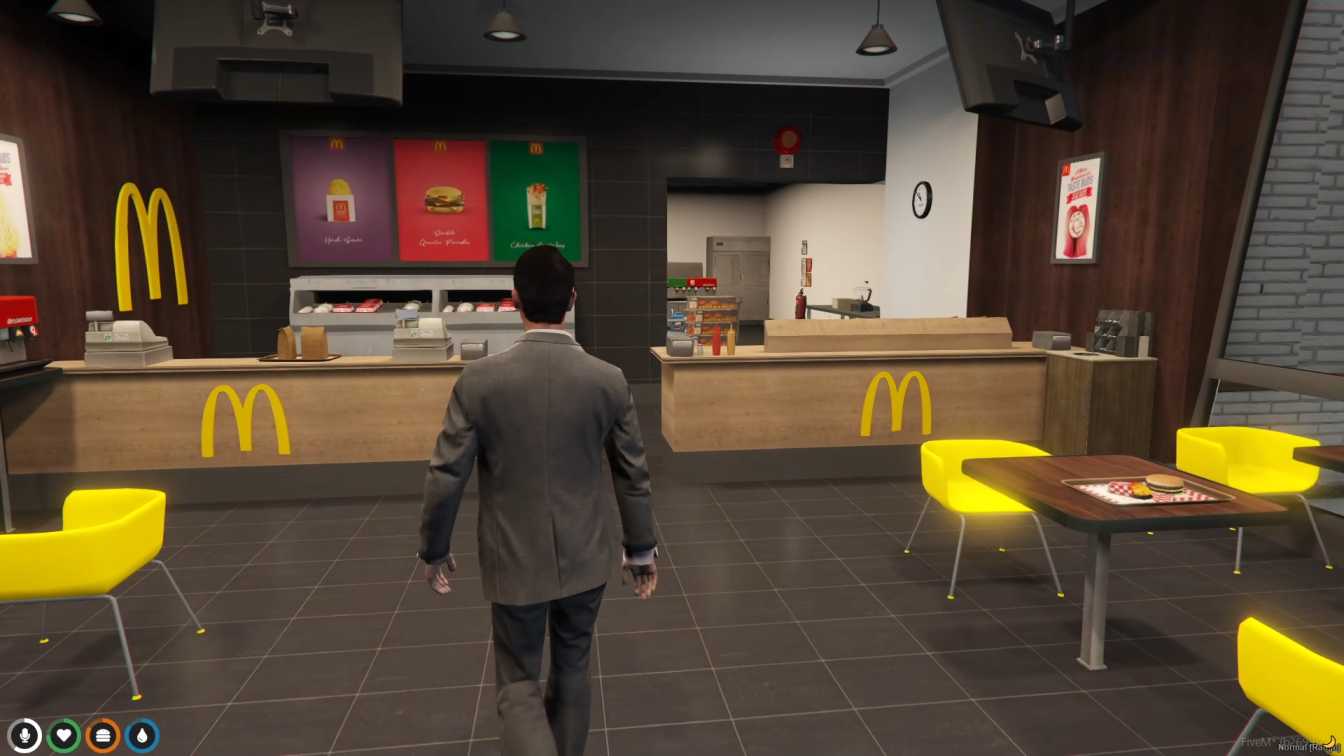
Faithful recreation of McDonald's restaurant Various role-playing opportunities as customers or employees Quick and hassle-free setup in FiveM Seamless integration for easy access Lively atmosphere for immersive gameplay




Bridges ship across the catalogue. Confirm the cores for this listing in Requirements below.
Bring the world‑famous FiveM Mcdonalds MLO to your role‑play server and let players experience a virtual fast‑food haven that feels just like the real thing. Within the first 100 words, you’ll see why this MLO is a must‑have: faithful recreation of the golden arches, vibrant interiors, and endless role‑play possibilities for both customers and crew. Imagine flipping burgers, serving fries, or just hanging out with friends while the neon lights flicker overhead – all without leaving your computer.
Designed for seamless integration, the Mcdonalds MLO drops straight into any FiveM setup, whether you run ESX, QBCore, or a standalone framework. The detailed textures capture the iconic red‑and‑yellow color scheme, while the interior layout mirrors the real restaurant, giving players a lively, immersive atmosphere. Quick to install and easy to manage, it adds depth and authenticity to any RP scenario.
Role‑play as a crew member – take orders, manage the kitchen, and keep the line moving. Play the customer – order a Big Mac, chat with staff, or just chill at a table. The MLO supports custom scripts, so you can expand menus, add jobs, or create events that bring the whole community together.
Download, extract to your resources folder, add the resource to server.cfg, restart, and you’re ready to roll. No complex dependencies, no performance hits – just pure, fast‑food fun.
Whether you run a family‑friendly server or a gritty street‑roleplay world, the Mcdonalds MLO adds a universally recognizable spot for players to gather, trade, and create memorable moments.
This resource is built to be compatible with modern FiveM frameworks. Check the requirements for your framework version and installed resources before buying.
Yes, purchasing this asset grants you lifetime access to all future updates and patches.
Check the product requirements for file access and licensing details. If you need editable source files or a specific integration, contact support before buying.
After successful payment, sign in to your xFiveM Shop dashboard to access your purchased downloads. Contact support if your download is unavailable.
Review framework support, dependencies and editable files before buying. Contact support if your server uses a custom framework or needs a particular integration.
No waiting and no Keymaster syncing needed. Receive your clean, zip archive direct download link instantly in your dashboard right after your purchase.
Pay once and get every future update for free. When FiveM releases new builds or features, we update our scripts so your server stays up to date.
Complete your secure checkout. You will receive an instant download link to get your files immediately.
Extract the zip file and place the folder inside your server's resources directory.
Add ensure resource-name to your server.cfg and restart.

 FiveM
FiveM