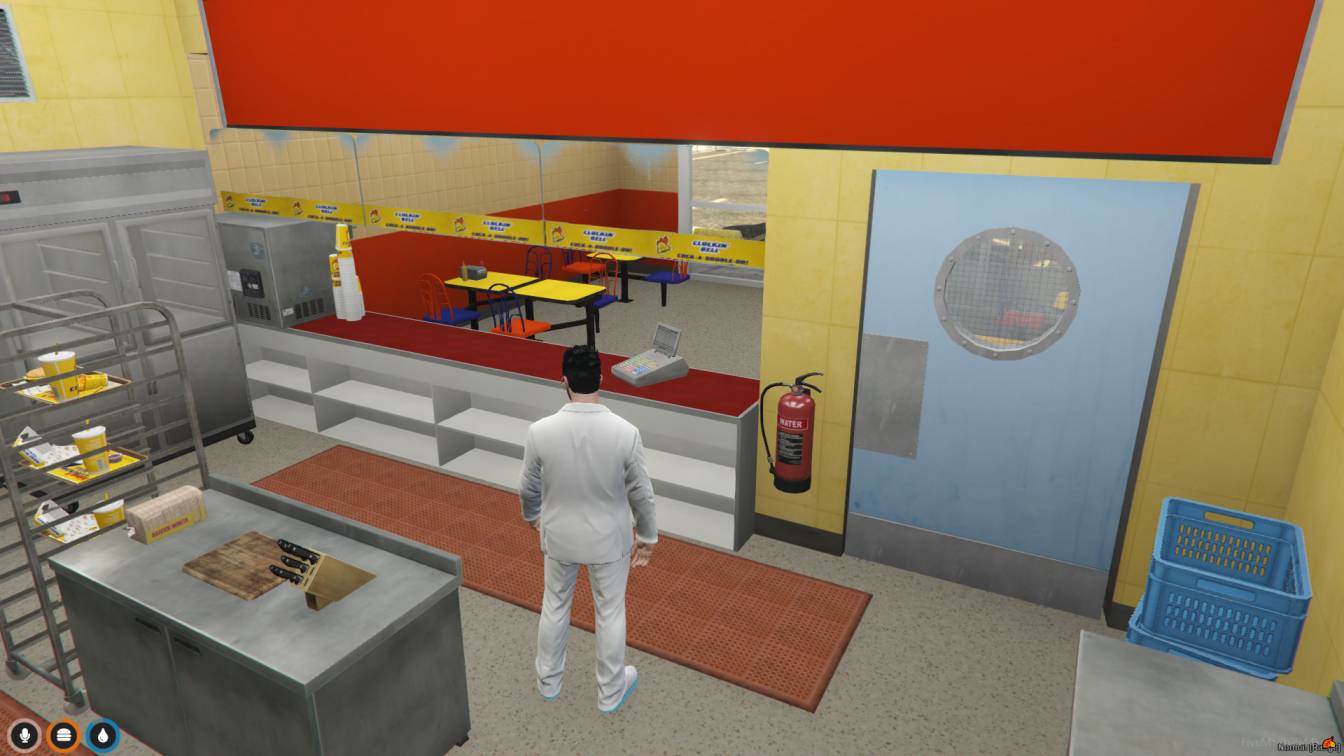
Dive into FiveM's Cluckin Bell MLO for virtual dining fun. Order food, cook, and hang out with friends. Enjoy an immersive GTA V experience like never before.




Bridges ship across the catalogue. Confirm the cores for this listing in Requirements below.
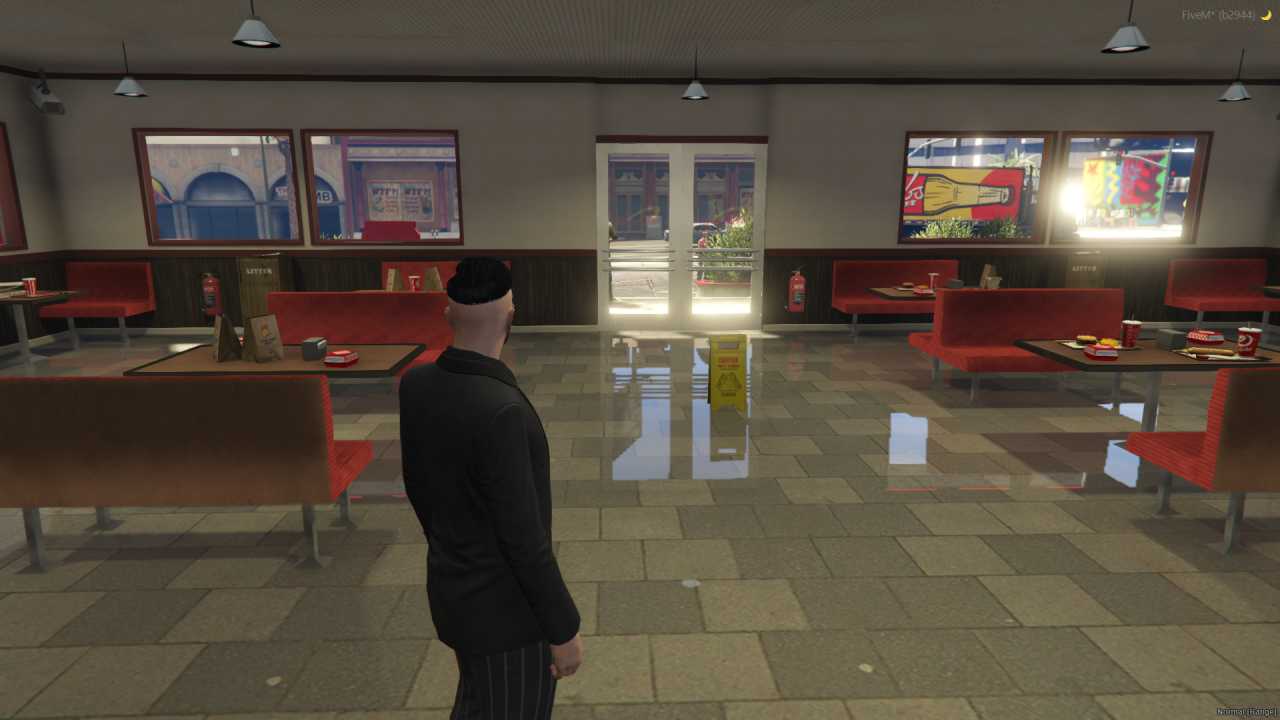
FiveM Cluckin Bell MLO brings the iconic GTA V chicken joint straight into your role‑play server. From the moment you drive up to the drive‑thru window to the bustling kitchen where you can flip virtual wings, this map delivers a fully immersive, interactive restaurant experience. Walk through detailed interiors that mirror the real game location—complete with tables, chairs, neon signs, and a busy kitchen crew. Whether you’re ordering a bucket of chicken, cooking behind the counter, or just hanging out with friends for a late‑night snack, the Cluckin Bell MLO offers endless role‑play possibilities.
Designed for both casual hangouts and serious role‑players, the map features a realistic environment that feels like a living part of Los Santos. The drive‑thru lets you order from your car, while the interior invites you to host eating contests, create comedic kitchen mishaps, or even run a full‑service restaurant scenario. It’s a social hub that encourages teamwork, creativity, and a lot of laughs.
Installation is a breeze—just extract the files, copy the folder to your server directory, add a start line to server.cfg, and restart. The MLO works seamlessly with popular frameworks like ESX, QBCore, or any standalone setup, making it a perfect addition to any FiveM server.
Ready to serve up some virtual fun? Add the FiveM Cluckin Bell MLO to your server today and watch your community flock to the hottest new hangout spot in Los Santos.
This resource is built to be compatible with modern FiveM frameworks. Check the requirements for your framework version and installed resources before buying.
Yes, purchasing this asset grants you lifetime access to all future updates and patches.
Check the product requirements for file access and licensing details. If you need editable source files or a specific integration, contact support before buying.
After successful payment, sign in to your xFiveM Shop dashboard to access your purchased downloads. Contact support if your download is unavailable.
Review framework support, dependencies and editable files before buying. Contact support if your server uses a custom framework or needs a particular integration.
No waiting and no Keymaster syncing needed. Receive your clean, zip archive direct download link instantly in your dashboard right after your purchase.
Pay once and get every future update for free. When FiveM releases new builds or features, we update our scripts so your server stays up to date.
Complete your secure checkout. You will receive an instant download link to get your files immediately.
Extract the zip file and place the folder inside your server's resources directory.
Add ensure resource-name to your server.cfg and restart.

 FiveM
FiveM