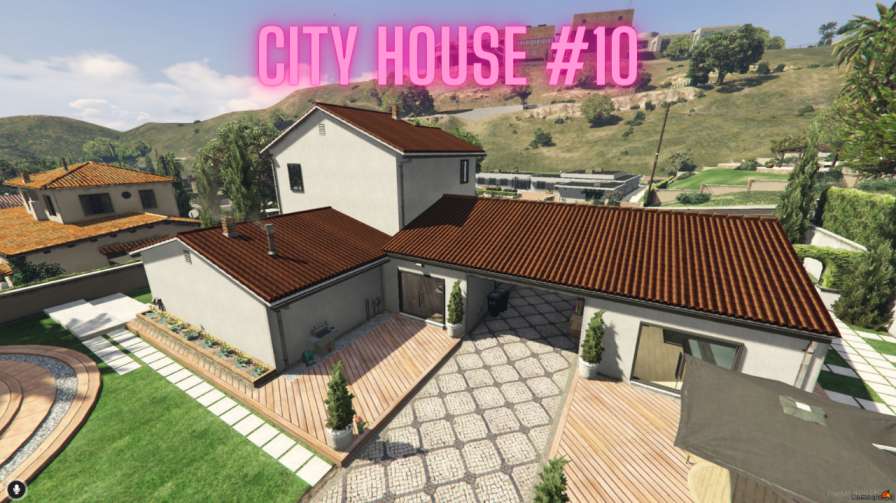
Immerse yourself in modern urban living with FiveM City House MLO #10. Explore sleek interiors, panoramic views, and convenience accessible on your mobile device.




Bridges ship across the catalogue. Confirm the cores for this listing in Requirements below.
FiveM City House MLO #10 drops you straight into a sleek, modern loft right in the heart of the city. From the moment you step through the front door, the spacious layout, floor‑to‑ceiling windows, and stylish interiors scream contemporary comfort. Light floods every room, highlighting polished furniture, a gourmet kitchen, and cozy bedrooms designed for both solo chill sessions and lively gatherings.
Every corner of this MLO is crafted for immersion. The living area boasts a minimalist sofa set, a high‑tech entertainment hub, and a balcony that frames a breathtaking skyline. Head to the kitchen and you’ll find state‑of‑the‑art appliances, sleek countertops, and plenty of storage – perfect for role‑play cooking or quick snack runs.
Step onto the private balcony or gaze out from large windows to soak in panoramic city vistas. Whether you’re watching the sunrise or the neon‑lit night, the view adds a cinematic backdrop to every role‑play scenario.
Play on the go! This MLO is fully compatible with mobile devices, letting you enjoy your virtual home from a tablet or phone without sacrificing detail or performance.
Customize furniture placement, décor, and lighting to make the space truly yours. Host parties, plan heists, or simply relax after a long shift – the house adapts to any storyline you create.
Ready to elevate your server’s housing experience? Install FiveM City House MLO #10 today and give your players the modern urban lifestyle they’ve been craving.
This resource is built to be compatible with modern FiveM frameworks. Check the requirements for your framework version and installed resources before buying.
Yes, purchasing this asset grants you lifetime access to all future updates and patches.
Check the product requirements for file access and licensing details. If you need editable source files or a specific integration, contact support before buying.
After successful payment, sign in to your xFiveM Shop dashboard to access your purchased downloads. Contact support if your download is unavailable.
Review framework support, dependencies and editable files before buying. Contact support if your server uses a custom framework or needs a particular integration.
No waiting and no Keymaster syncing needed. Receive your clean, zip archive direct download link instantly in your dashboard right after your purchase.
Pay once and get every future update for free. When FiveM releases new builds or features, we update our scripts so your server stays up to date.
Complete your secure checkout. You will receive an instant download link to get your files immediately.
Extract the zip file and place the folder inside your server's resources directory.
Add ensure resource-name to your server.cfg and restart.

 FiveM
FiveM