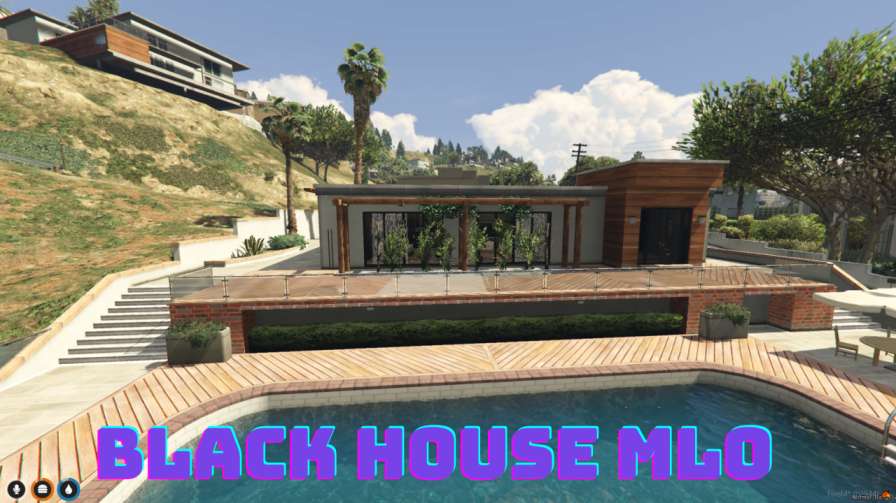
Immerse your FiveM server with the mysterious Black House MLO Customizable interior and eerie atmosphere for captivating roleplay




Bridges ship across the catalogue. Confirm the cores for this listing in Requirements below.
Discover the FiveM Black House MLO, a dark and immersive interior map that transforms your GTA V roleplay server into a realm of mystery and intrigue. Designed with high‑quality textures and atmospheric lighting, this eerie hideout sets the perfect tone for clandestine meetings, covert operations, and supernatural encounters. Whether you run a criminal syndicate, a secret government agency, or a paranormal storyline, the Black House offers versatile rooms and chambers that can be tailored to any narrative.
Every corner of the Black House is crafted to enhance immersion. From dimly lit corridors to shadowy chambers, the detailed design creates a palpable sense of danger and secrecy. Players will feel the tension rise as they step inside, making roleplay sessions more engaging than ever.
Server admins can easily modify textures, lighting, and room layouts to match their unique themes. Add your own props, adjust the ambiance, or expand the interior – the Black House MLO is built for flexibility, ensuring it fits seamlessly into any server’s lore.
Installation is straightforward: download, unzip, upload to your resources folder, add to server.cfg, and restart. The MLO is compatible with most other map mods and works on both Windows and Linux FiveM servers, making integration hassle‑free.
Elevate your roleplay experience with the FiveM Black House MLO – the ultimate setting for secretive, thrilling, and unforgettable gameplay.
This resource is built to be compatible with modern FiveM frameworks. Check the requirements for your framework version and installed resources before buying.
Yes, purchasing this asset grants you lifetime access to all future updates and patches.
Check the product requirements for file access and licensing details. If you need editable source files or a specific integration, contact support before buying.
After successful payment, sign in to your xFiveM Shop dashboard to access your purchased downloads. Contact support if your download is unavailable.
Review framework support, dependencies and editable files before buying. Contact support if your server uses a custom framework or needs a particular integration.
No waiting and no Keymaster syncing needed. Receive your clean, zip archive direct download link instantly in your dashboard right after your purchase.
Pay once and get every future update for free. When FiveM releases new builds or features, we update our scripts so your server stays up to date.
Complete your secure checkout. You will receive an instant download link to get your files immediately.
Extract the zip file and place the folder inside your server's resources directory.
Add ensure resource-name to your server.cfg and restart.

 FiveM
FiveM