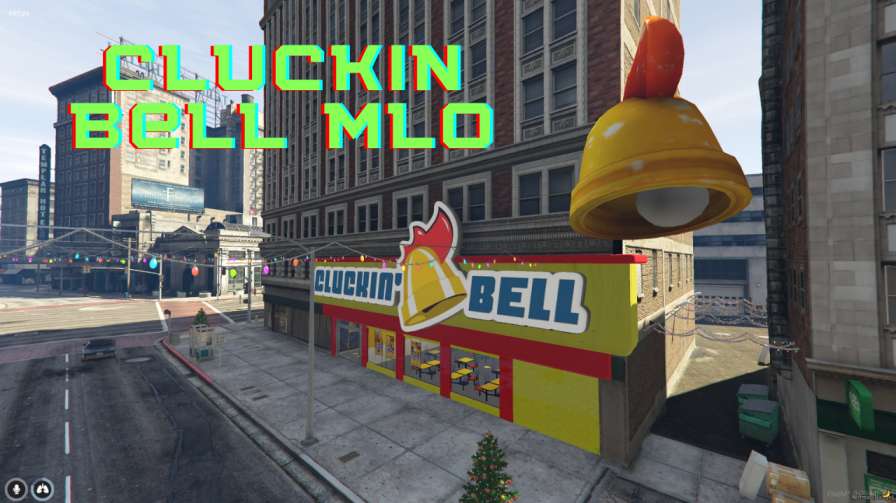
Experience immersive Cluckin Bell role-play in FiveM. Join servers, order food, work inside. Authentic recreation, no extra mods required. Remember to follow server rules for a fun experience.




Bridges ship across the catalogue. Confirm the cores for this listing in Requirements below.
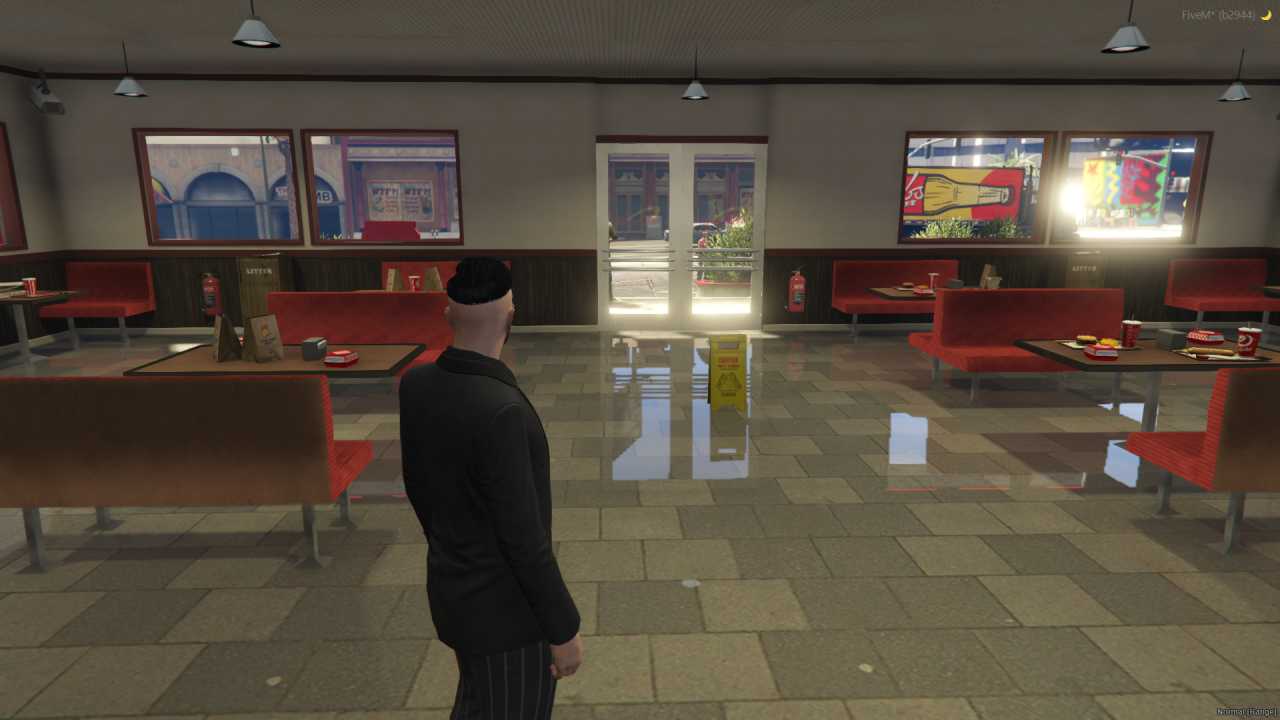
Looking for a fresh, mouth‑watering addition to your FiveM server? The Cluckin Bell MLO delivers an authentic, fully‑featured Cluckin Bell restaurant that’s ready to roll for role‑players and food lovers alike. From the bustling kitchen to the iconic drive‑thru, every detail is meticulously recreated to bring the real‑world brand into your virtual world. Jump in, order a burger, work behind the counter, or just hang out in the dining area – the choice is yours.
With this MLO you get an immersive environment that feels like the real thing. Players can explore multiple zones: the spacious dining hall, the cramped kitchen, the neon‑lit drive‑thru, and even the back office. It’s perfect for servers that want a lively, realistic location for job‑role play, business events, or just a casual hangout spot.
Installation is a breeze. Drop the resource folder into your server’s resources directory, add it to server.cfg, and restart. No extra scripts or dependencies are required – it’s plug‑and‑play. Once live, you’ll see the Cluckin Bell logo lighting up the street and the smell of fries wafting through the air.
• Faithful recreation of the iconic Cluckin Bell brand
• Detailed interior: kitchen, dining area, drive‑thru, and back office
• Seamless FiveM integration for instant access
• Rich role‑play opportunities for customers and staff
• Adds realism and atmosphere to any server
Ready to spice up your server? Grab the Cluckin Bell MLO today and let the flavor of authentic fast‑food adventure take over your FiveM community.
This resource is built to be compatible with modern FiveM frameworks. Check the requirements for your framework version and installed resources before buying.
Yes, purchasing this asset grants you lifetime access to all future updates and patches.
Check the product requirements for file access and licensing details. If you need editable source files or a specific integration, contact support before buying.
After successful payment, sign in to your xFiveM Shop dashboard to access your purchased downloads. Contact support if your download is unavailable.
Review framework support, dependencies and editable files before buying. Contact support if your server uses a custom framework or needs a particular integration.
No waiting and no Keymaster syncing needed. Receive your clean, zip archive direct download link instantly in your dashboard right after your purchase.
Pay once and get every future update for free. When FiveM releases new builds or features, we update our scripts so your server stays up to date.
Complete your secure checkout. You will receive an instant download link to get your files immediately.
Extract the zip file and place the folder inside your server's resources directory.
Add ensure resource-name to your server.cfg and restart.

 FiveM
FiveM