
Description
🚔 QBCore MDT Script – Premium Police Mobile Data Terminal System
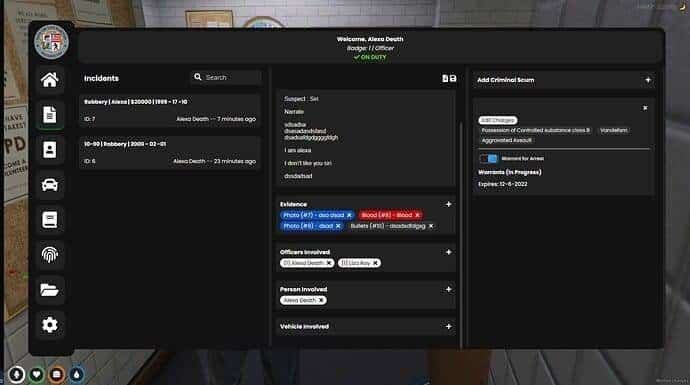
Transform your FiveM server’s law enforcement experience with the QBCore MDT Script. This premium police solution delivers comprehensive mobile data terminal functionality including criminal records, vehicle lookup, warrant management, and advanced law enforcement features, creating an immersive police experience that enhances roleplay realism and officer engagement.
The QBCore MDT Script features a sophisticated police database system with comprehensive criminal records management, advanced vehicle lookup capabilities, and detailed law enforcement tracking. Designed specifically for QBCore framework servers, this script provides officers with realistic police tools that enhance law enforcement roleplay and server immersion.
🚔 QBCore MDT Script Features:
- 👮 Criminal Database: Complete criminal records system with mugshots and arrest history
- 🚗 Vehicle Lookup: Advanced vehicle registration and ownership tracking system
- 📋 Warrant Management: Issue, track, and manage arrest warrants and citations
- 📊 Incident Reports: Create detailed police reports with evidence and witness statements
- 🔍 Person Search: Quick citizen lookup with personal information and criminal history
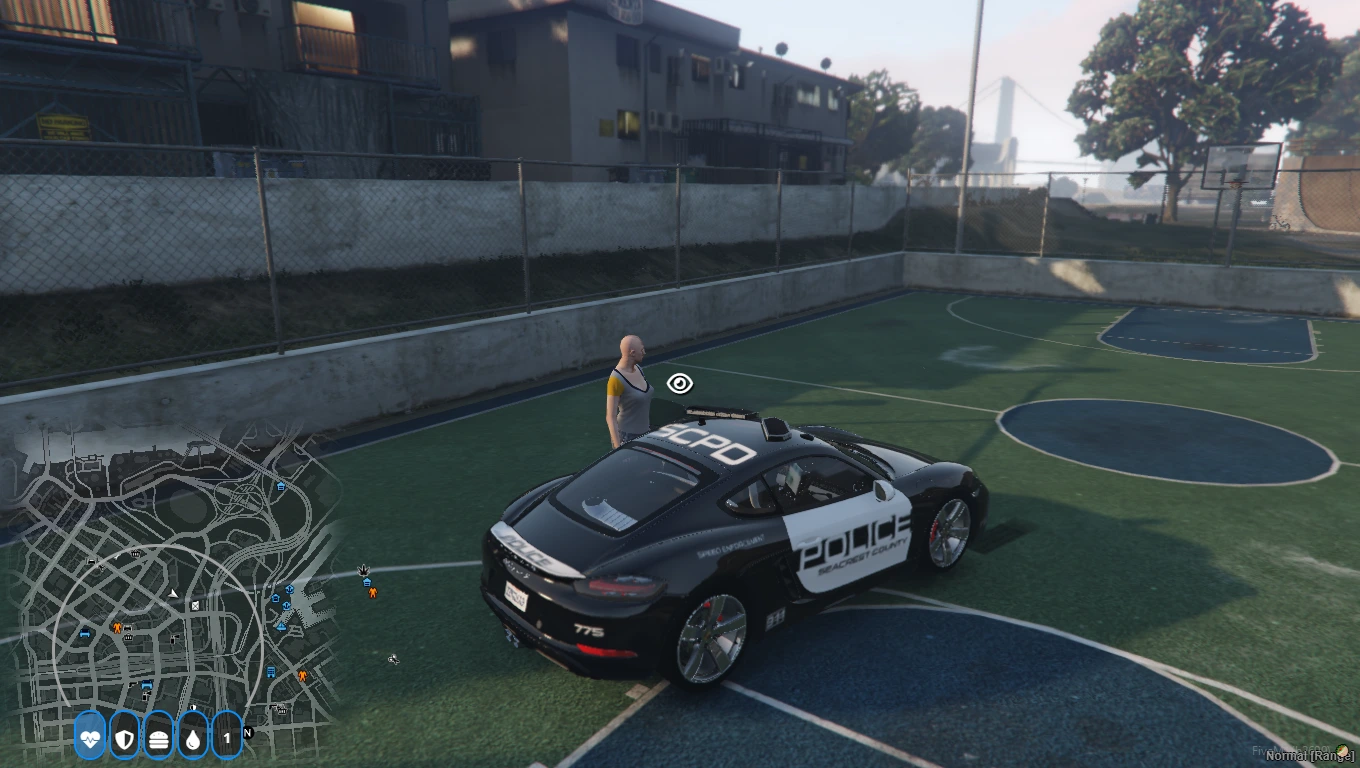
- 📱 Mobile Interface: Tablet-style MDT interface accessible from police vehicles
- 🚨 BOLO System: Be On The Lookout alerts for suspects and vehicles
- 👥 Officer Management: Police roster, shift schedules, and department hierarchy
- 📈 Crime Statistics: Detailed analytics and crime mapping for law enforcement
- ⚡ QBCore Integration: Seamless compatibility with QBCore framework and all QBCore police resources
🏆 Why Choose QBCore MDT Script:
- 🚔 Enhances law enforcement roleplay with realistic police tools
- ⚡ Increases officer engagement with comprehensive police database
- 🔒 Zero performance impact with optimized code and efficient database queries
- 🔧 Easy installation and configuration with comprehensive documentation
- 🎯 Perfect for serious roleplay servers requiring realistic law enforcement
- 📱 Modern tablet-style interface with responsive design for all screen sizes
- 🌟 Regular updates with new police features and law enforcement tools
- 🛡️ 24/7 customer support with dedicated QBCore law enforcement specialists
📋 QBCore MDT Script Technical Specifications:
🚀 QBCore MDT Script Installation & Setup:
- Download: Download the QBCore MDT Script package from your purchase confirmation
- Extract: Extract all files to your FiveM server resources folder
- Database: Import the police MDT SQL files to your MySQL database
- Dependencies: Ensure QBCore framework and police job are properly configured
- Configuration: Edit the config.lua file to set police permissions and features
- Server Config: Add “ensure qb-mdt” to your server.cfg file
- Restart: Restart your FiveM server to activate the MDT system
- Testing: Test all MDT features including database searches and report creation
❓ QBCore MDT Script FAQ:
Q: Can officers access the MDT from police vehicles?
A: Yes! The script includes a tablet-style interface that officers can access from inside police vehicles for realistic mobile data terminal functionality.
Q: Does the MDT system work with all QBCore police jobs?
A: Absolutely! The MDT script is compatible with all QBCore police job systems and can be configured for different law enforcement departments.
Q: Can officers create and manage criminal records?
A: Yes! Officers can create detailed criminal records, add mugshots, track arrest history, and manage all criminal database information.
Q: Does the script include vehicle registration lookup?
A: The MDT includes comprehensive vehicle lookup with registration details, ownership information, and vehicle history tracking.
Q: Can officers issue and track warrants?
A: Yes! The warrant management system allows officers to issue, track, and manage arrest warrants with detailed information and status updates.
🎯 QBCore MDT Script Configuration Guide:
🚔 Police MDT Settings
- Police Permissions: Configure access levels for different police ranks
- Database Settings: Set criminal records and vehicle lookup parameters
- Warrant System: Configure warrant types and management options
- Report Templates: Set incident report formats and required fields
- BOLO Alerts: Configure alert systems and notification settings
- Officer Management: Set roster and shift management options
- Interface Design: Customize MDT appearance and tablet layout
- Integration Settings: Configure compatibility with other police resources
🛠️ QBCore MDT Script Support & Resources:
📚 Documentation
- Complete installation and setup guide
- QBCore police MDT configuration manual
- Criminal database management tutorial
- Advanced law enforcement features guide
🎯 Support Channels
- 24/7 Discord support community
- Video installation tutorials
- QBCore police MDT troubleshooting guides
- Direct developer assistance
🔄 Updates & Maintenance
- Regular QBCore police MDT feature updates and improvements
- New law enforcement tools and database enhancements
- Security patches and performance optimizations
- Compatibility updates for new QBCore versions
Need Help?
Contact Us
📊 QBCore MDT Script Performance Metrics:
500+
Police Departments
0.01ms
Database Query Time
15min
Installation Time
100%
QBCore Compatibility
Trusted by 6,200+ FiveM law enforcement servers worldwide
Join the community of police roleplay servers that have enhanced their law enforcement experience with our QBCore MDT Script.


Reviews
There are no reviews yet.