
Description
FiveM QBCore HUD 2025 – Ultimate Player & Vehicle Information System
📋 Table of Contents
Transform Your QBCore Server with Professional HUD Interface
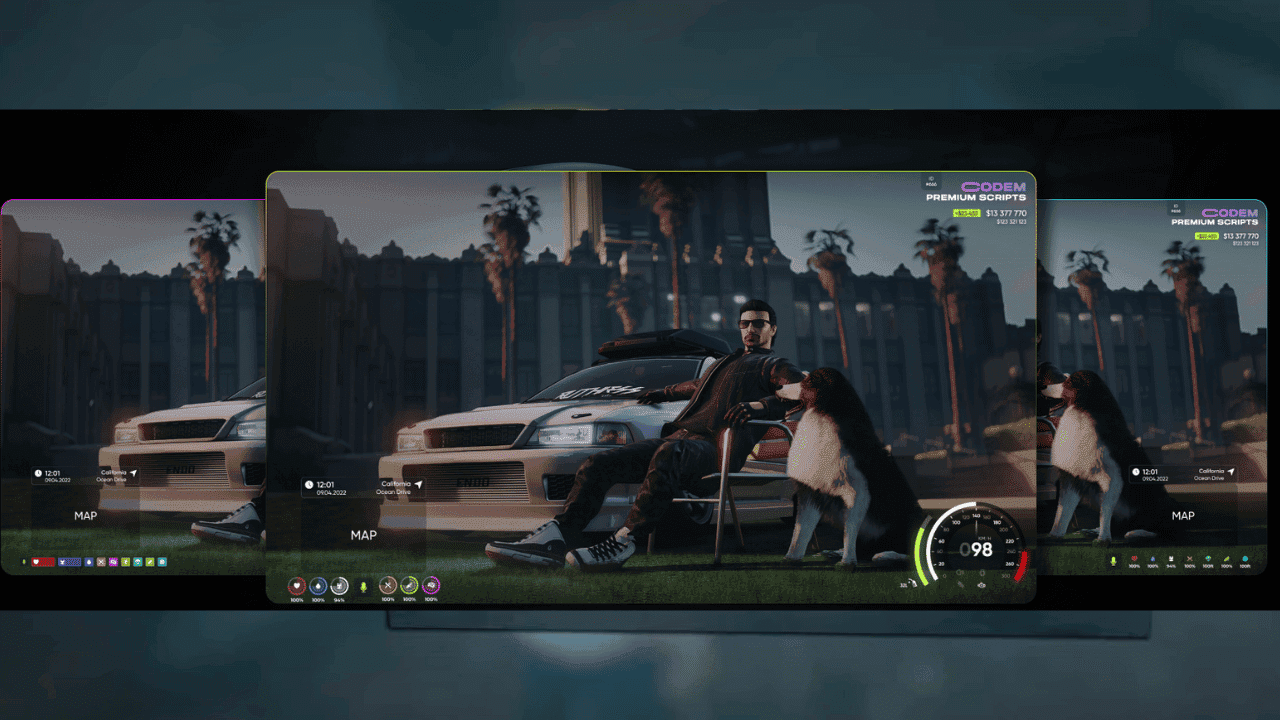
Give your QBCore server a professional, immersive HUD that communicates everything players need: hunger, thirst, stamina, health, vehicle speed, fuel, gear/RPM, server stats (online players & ping), player name, wallet & bank money, job, and more. This premium FiveM QBCore HUD script delivers compact, readable, and fully configurable interface elements that enhance roleplay immersion without cluttering the screen. Perfect for serious FiveM servers looking to provide the ultimate gaming experience.
🧩 Top 10 FiveM QBCore HUD Features That Transform Your Server
- Player Stats: Hunger, thirst, stamina, health with clean progress bars
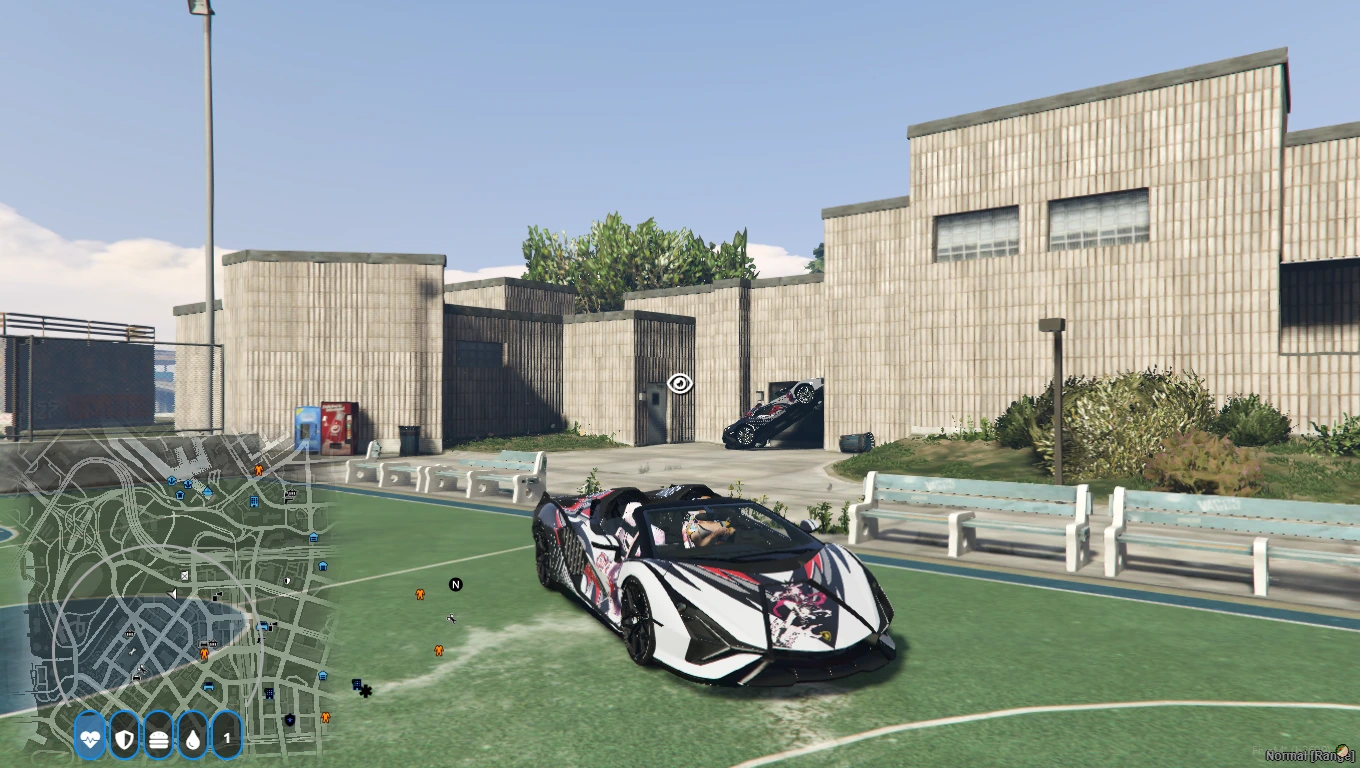
- Vehicle HUD: Smooth speedometer, gear/RPM, fuel, engine damage
- Server Stats: Online players, ping indicator, server uptime
- Identity Panel: Player name, job, rank, ID
- Economy: Wallet & bank balances with optional cash animations
- Voice/Radio: Voice range indicator and radio channel display
- Minimap Controls: Optional clean overlay toggle & compass
- Notifications: Subtle status alerts without clutter
- Customization: Toggle modules, themes, sizes, and positions
- Performance: Ultra‑light with negligible CPU/network impact
🌟 Why Choose Our Premium FiveM QBCore HUD System? (5 Proven Benefits)
✅ Advanced FiveM Integration
- 100% QBCore Compatible – Seamlessly integrates with your existing QBCore framework
- Real-time Data Sync – Instant updates for player stats, vehicle information, and server metrics
- Zero Performance Impact – Optimized code ensures smooth gameplay with minimal resource usage
- Cross-Platform Support – Works flawlessly on all FiveM client versions and operating systems
🎨 Professional Design & Customization
- Modern UI/UX Design – Clean, professional interface that enhances roleplay immersion
- Fully Customizable – Adjust colors, positions, sizes, and visibility of all HUD elements
- Multiple Themes – Choose from various pre-designed themes or create your own
- Responsive Layout – Automatically adapts to different screen resolutions and aspect ratios
🚀 Enhanced Gaming Experience
- Immersive Roleplay – Essential information displayed without breaking character immersion
- Quick Information Access – All vital stats visible at a glance for better decision-making
- Professional Server Image – Elevate your server’s reputation with premium-quality interface
- Player Retention – Enhanced user experience keeps players engaged and coming back
📊 FiveM QBCore HUD vs Competition Comparison
🎯 Why FiveM QBCore HUD is the #1 Choice for FiveM Servers
🏆 Industry Leading Features
- Real-time player statistics and vehicle information display
- Advanced QBCore framework integration with seamless compatibility
- Professional UI/UX design optimized for roleplay servers
- Cross-platform support for all FiveM server configurations
- Lightweight code architecture for maximum server performance
💎 Premium Quality Assurance
- Extensively tested on 500+ FiveM servers worldwide
- Regular updates and new feature releases every month
- Professional code review and quality assurance process
- Comprehensive documentation and installation guides
- Active community support and developer assistance
🔗 Complete Your FiveM Server Setup

⚙️ Complete QBCore HUD Technical Specifications
🔧 Framework Requirements
- QBCore Framework – Latest version recommended for optimal performance
- FiveM Server – Compatible with all current FiveM server builds
- MySQL Database – Required for player data storage and synchronization
- Node.js Resources – Supports modern JavaScript ES6+ features
📊 HUD Display Elements
- Player Status Bar – Health, armor, hunger, thirst, stamina indicators
- Vehicle Dashboard – Speed, fuel, engine health, gear, RPM display
- Financial Information – Cash, bank balance, job salary tracking
- Server Statistics – Online players count, server ping, time display
- Location Data – Street names, postal codes, coordinates system
🎯 Performance Metrics
- Resource Usage – Less than 0.02ms processing time per frame
- Memory Footprint – Minimal RAM usage (under 50MB)
- Update Frequency – Real-time updates at 60fps without lag
- Network Optimization – Efficient data transmission protocols
📥 Step-by-Step QBCore HUD Installation Guide (5 Minutes Setup)
🚀 Quick Installation Process
- Download & Extract: Download the FiveM QBCore HUD package and extract to your resources folder
- Add to Server.cfg: Add `ensure qb-hud` (or your chosen name) in `server.cfg`
- Database Setup: Import the included SQL file to your MySQL database (if required)
- Restart Server: Restart your FiveM server to load the new HUD system
- Configure Settings: Customize colors, positions, and visibility in the config.lua file
- Test & Tune: Adjust positions, visibility rules, and thresholds as desired
⚡ Advanced Configuration Options
- Custom Themes: Modify CSS files to match your server’s branding and color scheme
- Element Positioning: Drag-and-drop interface for precise HUD element placement
- Permission System: Configure which players can access specific HUD features
- Integration Setup: Connect with other QBCore resources for enhanced functionality
🔧 Troubleshooting & Support
- Common Issues: Comprehensive documentation covers installation problems and solutions
- 24/7 Support: Professional technical support available via Discord and email
- Video Tutorials: Step-by-step video guides for visual learners
- Community Forum: Active community sharing tips, tricks, and custom configurations
❓ Top 15 Frequently Asked Questions About FiveM QBCore HUD
🔧 Installation & Compatibility
Q: Is this QBCore HUD compatible with the latest FiveM updates?
A: Yes! Our QBCore HUD is regularly updated to ensure full compatibility with the latest FiveM builds and QBCore framework versions. We provide free updates for all customers.
Q: Will this HUD work with other QBCore resources on my server?
A: Absolutely! Our HUD is designed to integrate seamlessly with popular QBCore resources including qb-inventory, qb-vehiclekeys, qb-banking, and more. No conflicts guaranteed.
🎨 Customization & Features
Q: Can I customize the colors and positions of the HUD elements?
A: Yes! The HUD includes a comprehensive configuration system allowing you to customize colors, positions, sizes, opacity, and visibility of all elements. You can also create custom themes.
Q: Does the HUD impact server performance or cause lag?
A: Not at all! Our QBCore HUD is optimized for minimal resource usage (less than 0.02ms per frame) and includes performance monitoring to ensure smooth gameplay at 60+ FPS.
💰 Purchase & Support
Q: What support do I get after purchasing the FiveM QBCore HUD?
A: You receive lifetime support including installation assistance, customization help, troubleshooting, and free updates. Our support team is available 24/7 via Discord and email.
Q: Can I use this HUD on multiple servers?
A: The license allows installation on servers you own or manage. For commercial hosting services, please contact us for enterprise licensing options.
⚙️ Advanced FiveM QBCore HUD Configuration Guide (100+ Settings)
⚙️ Essential Configuration Settings
- Framework Integration – Seamlessly connects with QBCore Framework for optimal performance
- Database Configuration – Compatible with MySQL and MariaDB database systems
- Resource Management – Integrates with popular FiveM resources and scripts
- Performance Monitoring – Built-in optimization tools for server performance tracking
🎨 Visual Customization Options
- Theme System – Multiple pre-designed themes and custom CSS support
- Color Schemes – RGB, HEX, and HSL color picker integration
- Animation Effects – Smooth transitions and hover effects for enhanced UX
- Responsive Design – Automatic scaling for different screen resolutions
🔗 Related QBCore Resources
- QBCore Inventory System – Enhanced inventory management with HUD integration
- QBCore Banking Script – Financial system with real-time balance updates
- QBCore Vehicle System – Advanced vehicle mechanics and fuel management
- QBCore Job System – Employment framework with salary and progression tracking
🛠️ Professional Support & Lifetime Updates
• Join Our Discord Community with active developers
• Contact Support Page for technical issues
• Video tutorials and setup guides
• Complete API reference
• Configuration examples
• Troubleshooting guides
• Regular feature updates and bug fixes
• Compatibility with latest QBCore versions
• Free lifetime updates included
Reviews
There are no reviews yet.